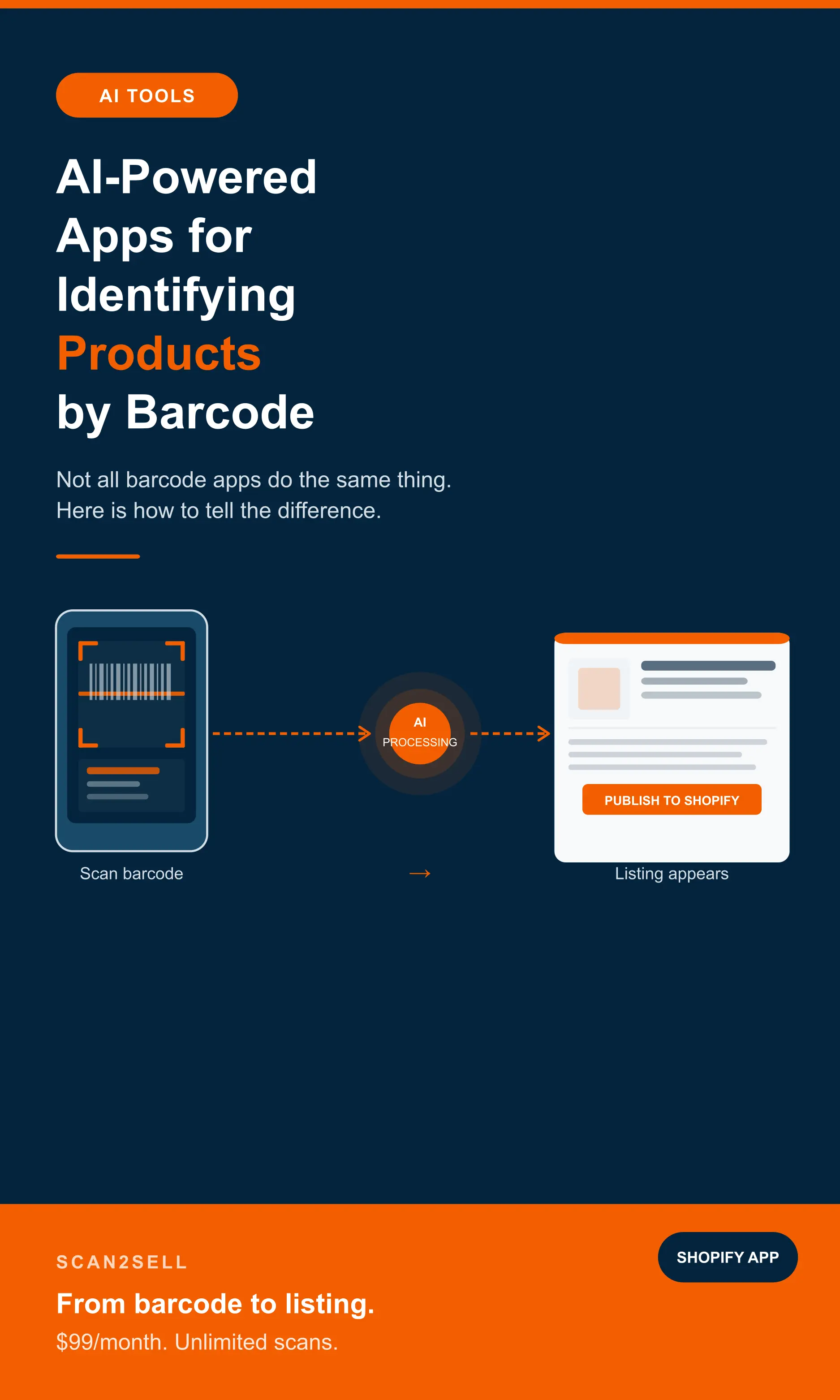
Not all barcode apps do the same thing. Some look up what a product is. Others go further and build a structured listing ready to publish. Here is how to tell the difference and which one fits what you are actually trying to do.
There are a lot of apps that can read a barcode. Point a phone at one and you'll get some kind of result in seconds. The question worth asking before you download anything is what happens after the scan. That is that's where they differ significantly.
Some apps tell you what a product is. Others tell you where to buy it or what it's worth on a given marketplace. A smaller number are built to take that barcode data and turn it into something you can actually sell with: a structured product listing, ready to review and publish to your Shopify store.
If you're a retailer, a reseller, or anyone trying to get physical inventory online, the distinction matters before you spend time testing tools that weren't built for what you need.
What "AI-powered" actually means for barcode apps
Most barcode apps work by looking up a product identifier, typically a UPC or EAN code, against a product database and returning whatever information is attached to it. The AI label gets applied loosely across the category. In many cases it simply means the app uses machine learning to read barcode images faster, or to handle damaged and awkwardly angled codes more reliably.
The more useful application of AI in this space is what happens with the data after the barcode is read. A basic lookup returns raw product data. An AI-assisted workflow takes that data and structures it by writing a product description in natural language, organising it into the right category, generating a title in a consistent format, and surfacing relevant images, so that what comes out the other end is something close to a publishable listing rather than a raw data dump.
That second type is what matters if your goal is getting products listed on Shopify, not just knowing what they are.
The two different use cases and why they need different tools
Before you go looking for an app, it helps to be clear about what you're actually trying to do. The apps in this space split into two distinct categories and they are not interchangeable.
Identifying what a product is and what it is worth. You scan a barcode and want to know the product name, its sales rank on Amazon, what it is selling for on eBay, or whether it is worth buying to flip. The Amazon Seller App is well-known in this space. It lets retail arbitrage sellers scan barcodes in-store and instantly see profitability data, FBA fees, and sales rank. eBay Seller Hub serves a similar role for eBay-focused resellers. These tools are excellent at sourcing decisions. They are not built for creating Shopify product listings.
Creating a product listing from a barcode. You scan a barcode and want a structured, editable Shopify listing to appear: title, description, category, images, ready to set a price and publish. This is a different problem entirely. It is what Scan2Sell is built for, and it is a workflow the Amazon Seller App and eBay tools do not touch.
Knowing what a product is worth and having a ready-to-publish Shopify listing for it are two different outcomes. Most apps only deliver the first one.
How the main app types compare
What each type of barcode app actually returns when you scan a product, and where the workflow ends.
Returns profitability data
The Amazon Seller App and similar tools scan a barcode and return sales rank, price history, FBA fees, and competitor data. Built for sourcing decisions at the point of purchase: thrift stores, clearance aisles, trade shows.
Where it stops: tells you whether to buy, not how to list it on Shopify.
Tracks existing stock levels
Apps like EasyScan and SyncX scan barcodes to update quantities, manage stock locations, and process orders. Works well with products already in your Shopify store. Not designed for creating new listings from scratch.
Where it stops: requires products to already exist in Shopify before scanning does anything useful.
Returns health and ingredient data
Designed for shoppers, not sellers. Apps like Yuka scan a barcode and return a health score, ingredient breakdown, and product alternatives. Useful for purchasing decisions at the grocery store, not for building Shopify listings.
Where it stops: no Shopify integration, no listing workflow, no publishing step.
Returns a ready-to-publish listing
Scan a barcode and a structured Shopify product listing appears: title, description, category, dimensions, and product images all populated. Review, set your price, and publish. Works for products that do not exist in your store yet.
Also supports photo input for items without barcodes, CSV bulk upload, and Shopify POS integration.
Consumer barcode apps: what they do and who they are built for
Consumer barcode scanning apps are some of the most widely used apps in this space, and they are genuinely impressive at what they do. The reason they are worth understanding is that they represent a completely different use case to seller tools, and people sometimes discover them and wonder whether they can be adapted for product listing work. The short answer is no, but the longer answer explains why they exist and what problems they actually solve.
Yuka is the most prominent example. Launched in France in 2017, Yuka now serves over 80 million users across 12 countries. The app lets shoppers scan a food or cosmetic product barcode and instantly receive a health score from 0 to 100, colour-coded from green to red, based on nutritional value, additives, and organic status. It then suggests healthier alternatives where a product scores poorly. It has no seller tools, no inventory workflow, and no connection to any ecommerce platform.
Open Food Facts is the open-source, community-built database that underpins a large part of the food barcode scanning ecosystem. The app allows scanning of over 4 million products contained in its free and open database, and it has enabled the creation of over 100 downstream apps including Yuka and FoodVisor. It is collaborative, meaning users can contribute product data for items not yet in the database. Like Yuka, it is built entirely for consumer education, not for seller workflows.
Buycott takes a different angle again. Rather than health scores, it lets shoppers scan products and see the corporate ownership behind them, enabling purchasing decisions based on values alignment. A shopper might scan a product to see whether the parent company supports causes they agree or disagree with. Again, a consumer tool through and through, with no path to creating a product listing.
All three are excellent at what they do. None of them are tools for getting products onto Shopify. The barcode data they surface is aimed at helping someone decide what to buy, not at helping a seller build a listing for something they are trying to sell.
The gap Shopify's own tools do not fill
This comes up regularly in the Shopify Community forums: merchants looking for a way to scan a barcode and have a new product listing created in their store. Shopify's native barcode tools, including those built into Shopify POS, are designed to work with products that already exist in your store. They look up existing listings, update inventory counts, or add items to a checkout cart. They do not create new listings from an unknown barcode.
That is a meaningful gap for anyone acquiring new stock. Whether that is a retailer restocking from a vendor, a reseller who just came home from a thrift haul, or a business that bought out a closing store's inventory, the product exists physically but the listing does not yet exist in Shopify. That is exactly the problem Scan2Sell was built to solve.
What happens when you scan with Scan2Sell
Open Scan2Sell on your phone, or pair a Bluetooth handheld scanner for higher volume, and point it at a product barcode. A structured product listing appears. The title, description, category, dimensions, and product images are all there based on the barcode data.
You review the listing, make any edits you want, such as condition notes, price adjustments, or any seller-specific detail, then publish directly to Shopify. Nothing goes live until you approve it.
For products without barcodes, you take a photo instead. The image is used to help structure the listing. Same review-and-publish flow, just a different starting point.
For bulk jobs such as a pallet, a store acquisition, or a large reseller lot, you download Scan2Sell's own CSV template, enter your barcodes, and upload the file. Listings are generated for each entry without individual scanning, which is the practical difference between an afternoon and a week's work for large volumes.
Frequently asked questions
Common questions about AI barcode scanning apps and how they work for Shopify product listing.
Can I scan a barcode and have a product automatically listed on Shopify?
Yes, with Scan2Sell. You scan a barcode with your phone camera or a Bluetooth handheld scanner, and a structured product listing appears with the title, description, category, and images already populated. You review it, set a price, and publish. Most general barcode apps, including the Amazon Seller App and inventory management tools, do not have a Shopify listing creation workflow built in.
What's the difference between a reseller sourcing app and a product listing app?
A sourcing app like the Amazon Seller App scans a barcode and returns profitability data: sales rank, fees, price history, to help you decide whether to buy a product. A product listing app like Scan2Sell takes a barcode and turns it into a structured, publishable Shopify listing. They solve different problems at different stages of the reselling process.
Does Shopify have a built-in barcode scanner for creating new product listings?
No. Shopify's native barcode scanning, including in Shopify POS, works with products already in your store. It looks up existing listings, updates inventory counts, or adds items to a checkout cart. It does not create new product listings from a barcode scan. This gap is a frequently raised topic in the Shopify Community forums, and it is exactly what Scan2Sell was built to fill.
What if a product doesn't have a barcode?
Scan2Sell supports photo input for products without barcodes. You take a photo of the item and the app uses the image to help structure a listing draft. The same review-and-publish workflow applies. It is slightly slower than a barcode scan but significantly faster than starting from a blank product form in Shopify.
How much does Scan2Sell cost?
Scan2Sell is $99 per month with unlimited scans. There is no per-product fee, which makes it practical for both small restocks and large bulk listing sessions where you might be processing hundreds of products at once.
Ready to turn barcodes into Shopify listings?
Scan2Sell is $99 a month with unlimited scans. Scan a product and a listing appears. Review, price, and publish.
Get Scan2Sell on Shopify