How to Get a Closing Store's Inventory Online Quickly
You've got the inventory. Now you're standing in front of stacks of boxes and a Shopify store with nothing in it. Here's how to approach it.
You've got the inventory. Maybe you bought out a clothing boutique, a hardware shop, a gift store, or a toy retailer that was closing its doors. The deal is done.
Now you're standing in front of stacks of boxes, a warehouse's worth of product, and a Shopify store with nothing in it.
The good news is this is more manageable than it looks. Here's how to approach it.
The Barcodes Are Already There
Most retail inventory — anything that was sold in a shop within the last twenty years — came with barcodes on the packaging. Those barcodes are your shortcut. Each one is a unique product identifier tied to a title, description, category, and often product images. You don't need to research or write anything from scratch. You just need to read them.
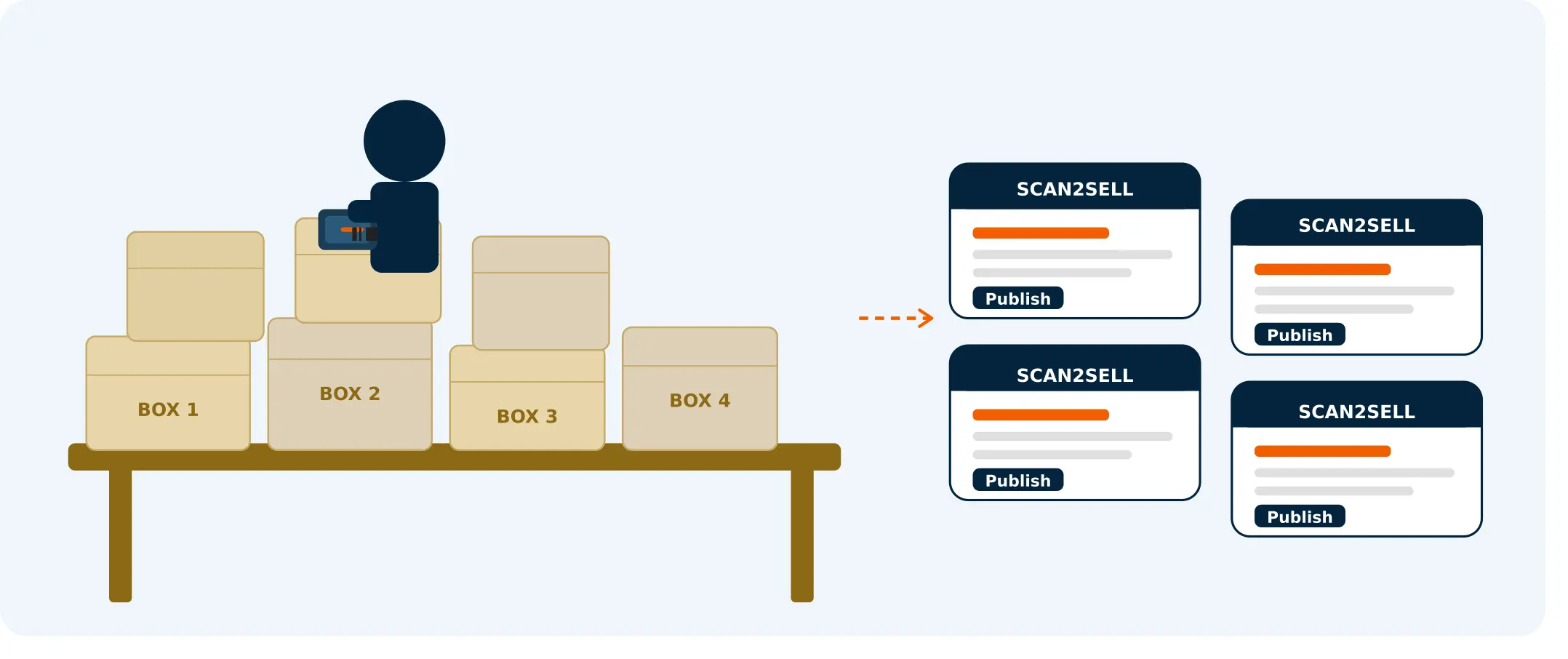
That's exactly what barcode scanning tools are built for. When you scan a product barcode with Scan2Sell, a structured listing takes shape — title, description, category, dimensions, and images appear automatically. You review it, set your price and quantity, and publish it to Shopify. Then you pick up the next product and repeat.
For a large mixed-stock acquisition, this changes the math completely. Instead of spending ten minutes per product researching and typing, you're spending closer to sixty seconds reviewing and pricing.
What's Realistic: a weekend, a week, a month
Solo effort, consistent daily sessions, 2 to 3 hours at a time. Here is what you can expect to get live.
A weekend: 100–200
Barcoded products listed
A focused two-day sprint gets a meaningful chunk of a small store's stock live. Enough to start generating early sales while you keep going.
A week: 500+
Products listed and live
Daily sessions of two to three hours each add up fast when barcodes do the heavy lifting. By the end of the week you have a real store.
A month: Full stock
Full acquisition online
Enough time to work through everything systematically — barcoded stock first, no-barcode items second, pricing reviewed and adjusted throughout.
Handling items without barcodes
Not everything will scan cleanly. Vintage items, handmade goods, products with damaged or missing labels, or anything pre-barcode era will need a different approach.
For those, Scan2Sell lets you take a photo of the item instead. The image is used to help structure the listing. It won't be as instant as a barcode scan, but it's still faster than starting from a blank product form.
Use these items as a secondary queue — process all your barcoded stock first, then work through the no-barcode pile separately.
If you have a large number of similar unbarcode items (a box of vintage glassware, for example) create one listing, duplicate it in Shopify, and edit the variations. That's faster than building each from scratch.
Pricing secondhand and clearance inventory
Pricing acquired stock is part art, part research. A few approaches that work in practice:
Start with the original retail price and work backward. Clearance stock from a closing store typically moves at 40 to 70 percent of retail.
For sought-after or brand-name items, you can go closer to retail. For generic or commodity items, go lower and move them faster.
Check completed listings on eBay and Facebook Marketplace for comparable items. Five minutes of research per category gives you a pricing baseline you can apply across similar items in bulk.
Don't agonize over perfect pricing on every single item. A price that's slightly off will still sell. A product that never gets listed sells nothing.
The Dedicated Listing Sprint
When you're facing a large acquisition, structure matters more than speed. The listing sprint broken into four clear stages.
Stage 1 — Sort: Separate before you start
Divide your inventory into two piles before you begin — items with barcodes and items without. Knowing what you're dealing with before you sit down saves time and builds momentum from the first scan.
Stage 2 — Scan: Barcoded stock first
Process the barcoded stock first. It's faster, it builds momentum, and it gets product online immediately while you're still working through the rest. Set aside dedicated sessions of two to three uninterrupted hours rather than chipping away in ten-minute gaps.
Stage 3 — Price: Decide your framework before you sit down
Have your pricing approach decided before each session — not figured out item by item as you go. Apply category-level pricing logic rather than researching every single product individually.
Stage 4 — Publish: Publish as you go
Don't wait until everything is ready. Products that are live can start selling while you're still listing the rest. There's no reason to hold back. If you're working with a partner, split roles: one scans and reviews, the other prices and handles the no-barcode queue.
Frequently asked questions
Common questions about getting a closing store's inventory onto Shopify quickly.
Do I need a Shopify store set up before I start scanning?
Yes — Scan2Sell connects directly to your Shopify store and publishes listings there. If you do not have a store yet, set one up first, then install Scan2Sell from the Shopify App Store and connect it. The setup takes a few minutes and you can be scanning the same day.
What if the previous store had a product catalog? Can I use that?
If the prior owner can provide you with a spreadsheet or CSV export of their inventory including barcodes or SKUs, you can upload that directly into Scan2Sell as a CSV file. The app processes the batch and generates listings for each entry, which can save significant time on a large acquisition.
How do I handle products where the barcode does not return any results?
For products where no information appears from the barcode — older items, regional brands, or very niche products — you can take a photo instead. Scan2Sell uses the image to help structure the listing. From there you fill in what you know and publish. It takes a little longer per item but it is still faster than a blank form.
Is there a limit to how many products I can list?
The base plan is $99 per month and includes unlimited scans.
Should I list everything before I start selling, or publish as I go?
Publish as you go. Products that are live can start selling while you are still working through the rest of the inventory. There is no advantage to waiting. Even a partial store with 50 products listed is generating more than one with nothing published at all.
Ready to get your acquisition online?
Scan2Sell is $99 a month with no scan limits. Start listing today and have product live by the end of the week.
Get Scan2Sell on Shopify