There is a version of your thrift store that reaches people who are not just walking past your front window. Someone an hour away searching for a vintage denim jacket. A young couple setting up their first apartment who found your lamp listing on Facebook Marketplace. A collector who specifically wants the kind of things you get in every week.
That version of your store is not far off. The thing standing between you and it is not Shopify, which is genuinely manageable for a non-technical owner. It is the listings themselves. Because thrift inventory is not like retail inventory. You do not have a spreadsheet of SKUs. You do not have a manufacturer sending you product photos and descriptions. You have a rack of one-of-a-kind items, most of them used, most of them tagless, and a team that already has a full day ahead of them before anyone thinks about writing an online listing.
That is the actual problem. And it has a practical answer.
The listing problem is different for thrift stores
When a standard retailer puts something on Shopify, they usually have a product name to start with, maybe a supplier description, maybe an image from the brand. Even if it is rough, there is something to work from.
When you pull a second-hand coat off a donation rack, you are starting from nothing. You have the item in your hands. You can see it is a size medium, olive green, good condition, probably a well-known outdoor brand from the stitching. But turning that into a publishable product listing, with a clear title, a useful description, the right category, every time, for every item you want to sell online, is the kind of task that kills the idea before it gets started.

How the photo feature changes this
Scan2Sell is a Shopify app, and for thrift stores, its most useful feature is the simplest one: take a photo of the item.
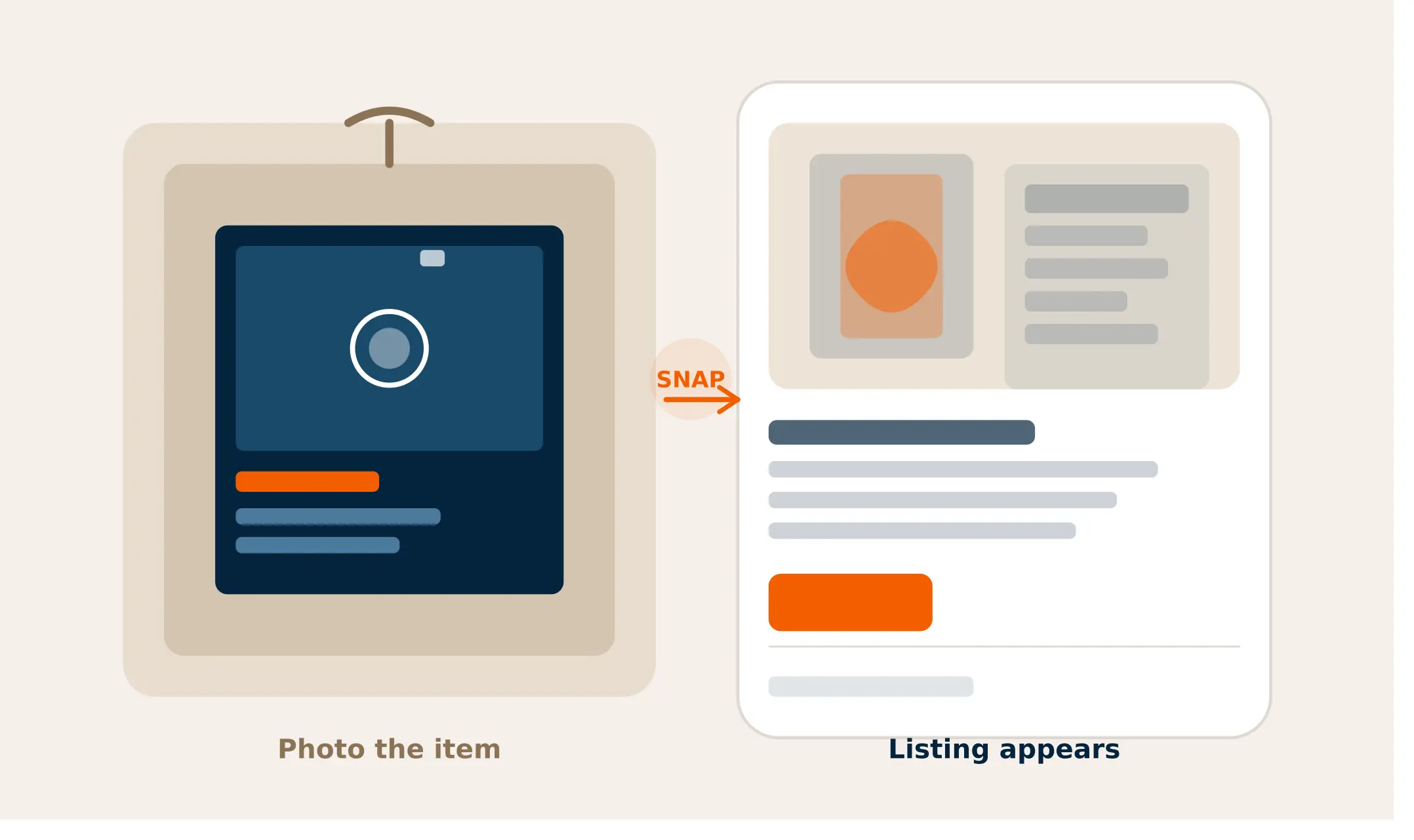
You point your phone camera at whatever you want to list. A listing takes shape from the image, including a suggested title, description, and category. Product images appear as part of the listing automatically. You review what has appeared, adjust anything that needs adjusting, set your thrift price, add a quantity of one, and publish.
That process, once you have done it a few times, takes a couple of minutes per item. Not the twenty minutes it would take to write something from scratch, look up what similar items are selling for, find a decent way to describe the condition, and upload your photos manually.
The gap between what is on your floor and what is on your Shopify store gets smaller every time someone picks up the phone and takes a photo.
Two types of inventory, one workflow
Most thrift items are tagless, used, and one-of-a-kind. Scan2Sell handles both situations so nothing in your store gets left behind.
Take a photo
No tag, no barcode, no problem. Point your phone at the item and a structured listing takes shape from the image.
- Used clothing, shoes, bags
- Furniture and homeware
- Vintage and one-of-a-kind pieces
- Items with tags removed
- Anything without a scannable label Bonus for eligible items
Scan a barcode
When an item still has its original barcode, scan it and the product details surface automatically.
- Books and media
- Items still in original box
- Tagged clothing and accessories
- Boxed games, tools, appliances
- New-with-tags donations Either way, you review the listing details, set your thrift price, add a quantity of 1, and publish. The hard part of listing — figuring out what to call something and how to describe it — is handled before you ever touch the keyboard.
What about items that still have a barcode?
Some of what comes through the door does still have its original barcode. Books almost always do.
Boxed games, appliances in original packaging, clothing with the tags still on, anything new-with-tags in a donation bag. For those items, you can scan the barcode instead of taking a photo, and the product details surface from the code directly. It is faster on eligible items and worth using when it applies.
But it is not the main event for most thrift stores. The photo option is what makes the workflow actually viable across your full inventory.
Keeping your floor and your Shopify store in sync
The one operational habit that matters most when you are selling the same inventory in-store and online is staying on top of what has sold where. If something sells off the floor on a Tuesday afternoon and it is still listed on Shopify, someone could buy it online that same evening. Fulfilling that order becomes a problem.
The fix is simple but it needs to be routine. When something sells in-store, someone archives or removes the Shopify listing that day. Not at the end of the week. That day. Building it into how your team closes out a sale in-store makes it automatic rather than something that gets forgotten. The workflow section above breaks down how to divide that responsibility across your existing team without it landing entirely on one person.
A workflow your team can actually stick to
You do not need a dedicated e-commerce hire. This splits the work across whoever is already on the floor.
Intake
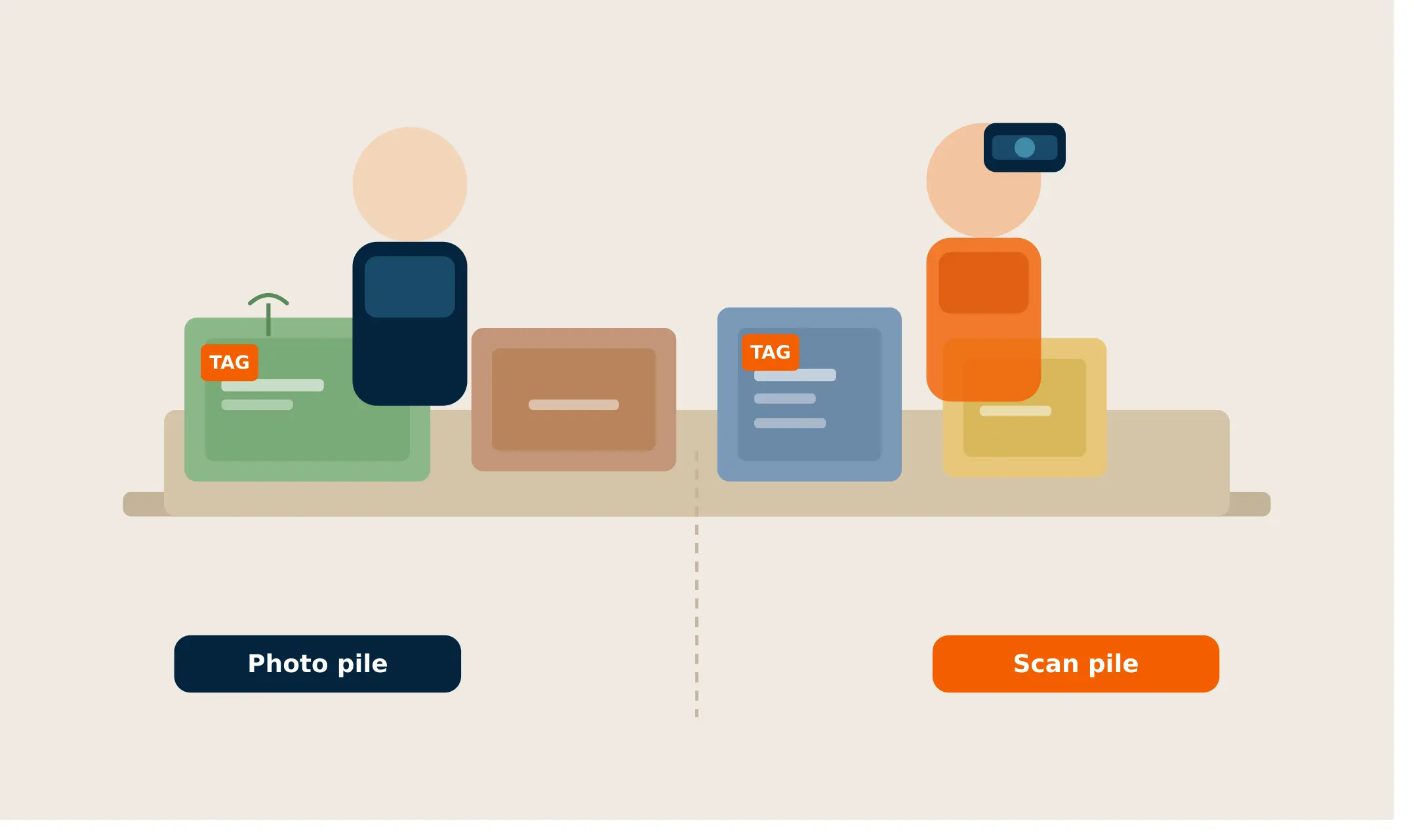
Sort incoming donations. Anything photo-worthy goes in the listing pile. Items still in original packaging or with tags get set aside for barcode scanning.
Listing (you or a team member)
Photo the item or scan its barcode. Review the listing that surfaces, write your thrift price, set quantity to 1, and publish. Around 2 to 3 minutes per item once you have the rhythm.
Floor staff
When something sells in-store that is also listed online, pull it and archive the Shopify listing the same day. Keeping the two in sync is the most important ongoing habit.
Owner or manager
Weekly: review active listings against what is still on the floor. Check your scan usage in the Scan2Sell dashboard so you are not caught short mid-week.
On cost: The base plan is $19/month for 100 scans. For most small thrift stores running a steady weekly listing cadence, that covers a meaningful amount of inventory. Running a larger donation drive or clearing an estate lot? Additional scan packs start at $49 for 500 scans and do not expire, so nothing goes to waste.
FAQs
Do the items need to be in good condition to list online? Condition is something you describe in the listing, not something that blocks you from listing. Thrift buyers are used to buying second-hand, and a clear, honest description of the item's condition is often exactly what makes them feel comfortable buying. You control how you describe it.
What if the photo does not produce a useful listing? You can edit any detail before publishing. The listing that surfaces from a photo is a starting point, not a final version. If the category is off or the description needs adjusting for your specific item, you update it before it goes live.
Can more than one staff member use Scan2Sell? Scan2Sell connects to your Shopify store, so anyone with access to the app on your account can use it. Splitting the listing work across a team is practical and does not require additional accounts.
How many scans do I need per month? A scan is used each time you create a listing, whether by photo or barcode. The usage plan is $99 per month for unlimited scans.
Do I need to know anything about e-commerce to set this up? Shopify is designed for store owners, not developers. Scan2Sell installs directly from the Shopify App Store. If you can use a smartphone camera, you can use the app.