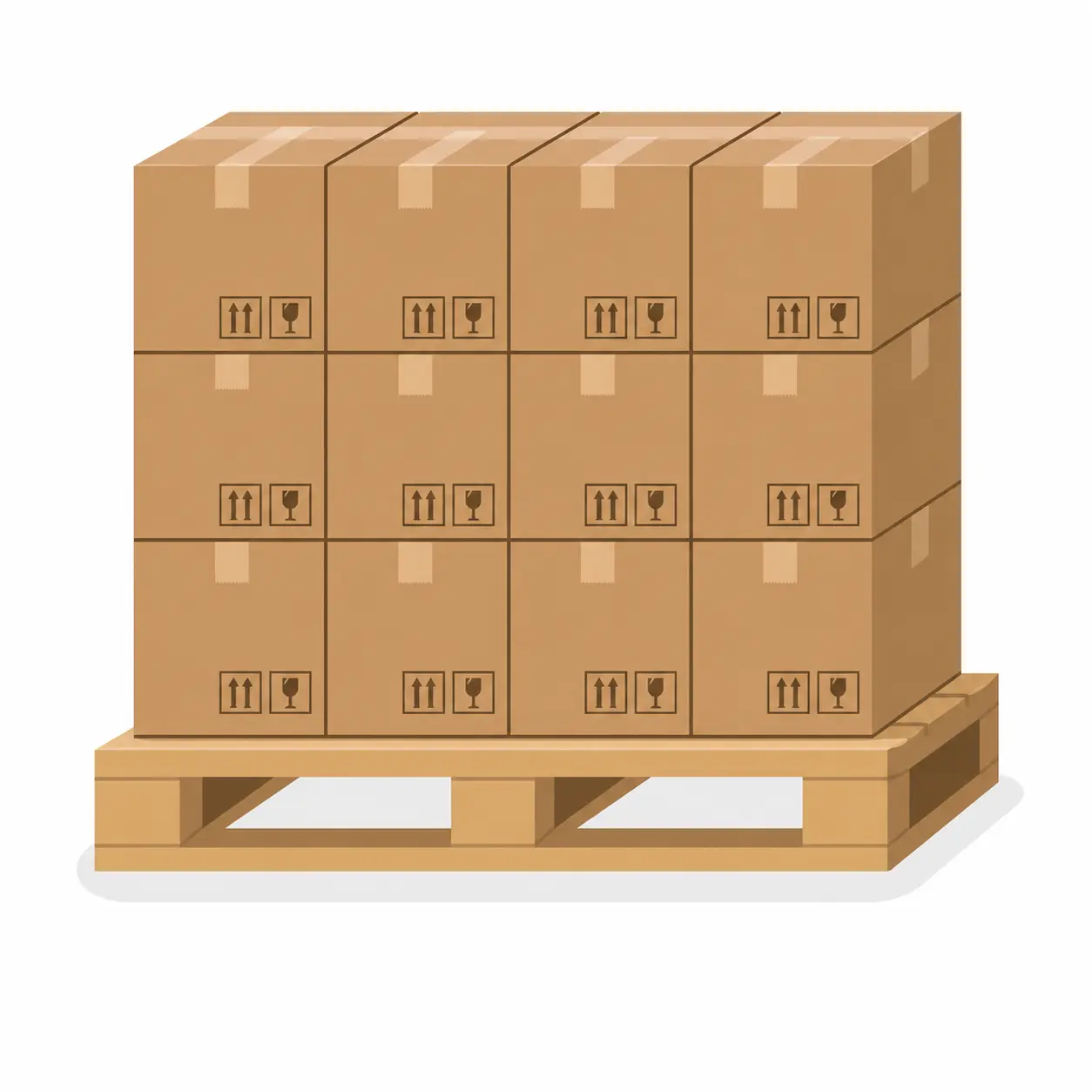
You just landed a pallet of 200 mixed products. The brand names are solid, the margins look right, and you need them online before the weekend. The problem is not the inventory. The problem is the listing.
Typing out 200 product titles, descriptions, and categories one by one is not a business strategy. It is a time drain that keeps profitable inventory sitting in a box instead of in front of buyers.
If you run a liquidation, resale, or wholesale business and you are trying to sell on Shopify, here is a practical breakdown of how to set up your product catalog and connect it to the channels where your buyers actually shop.
Start With Shopify as Your Central Hub
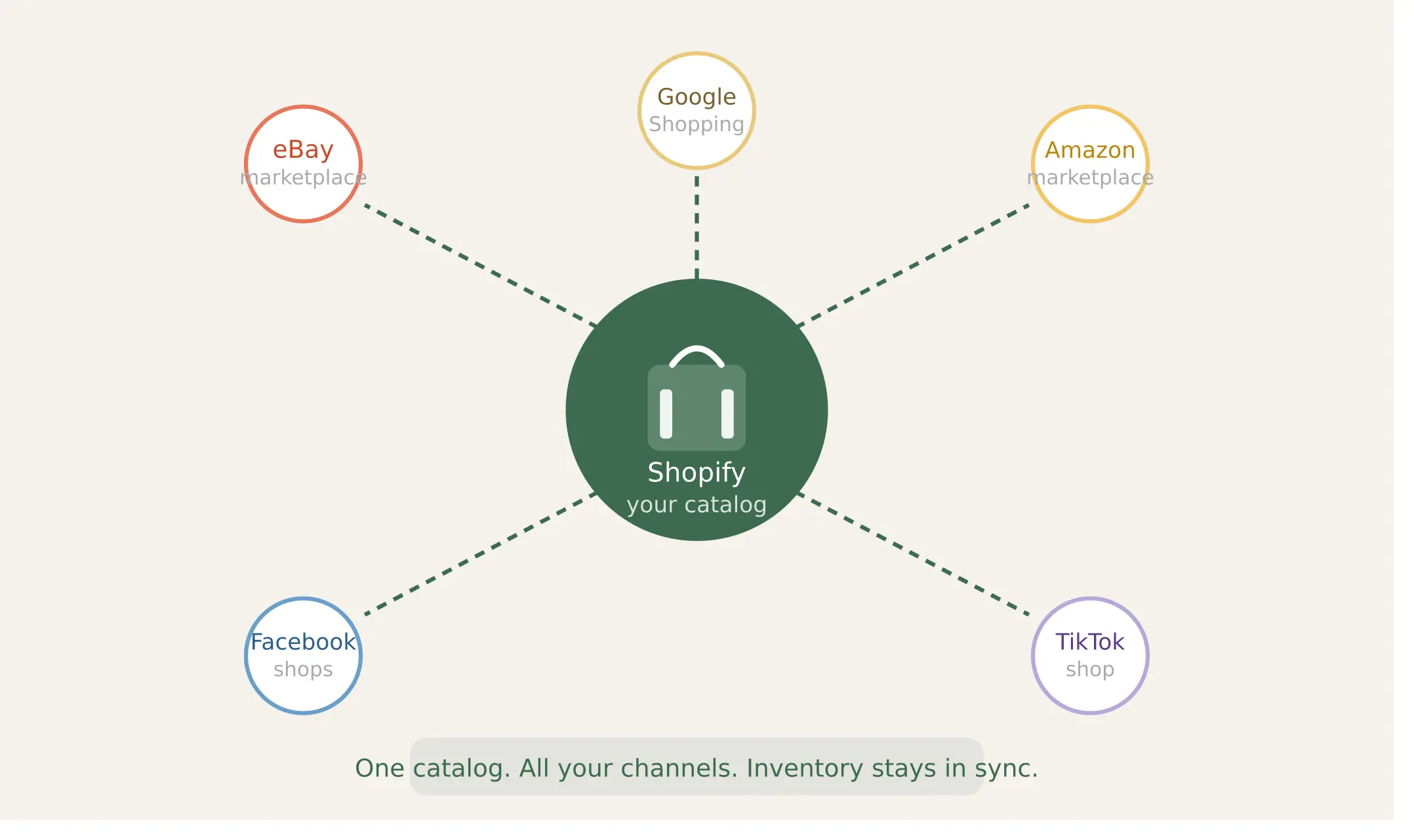
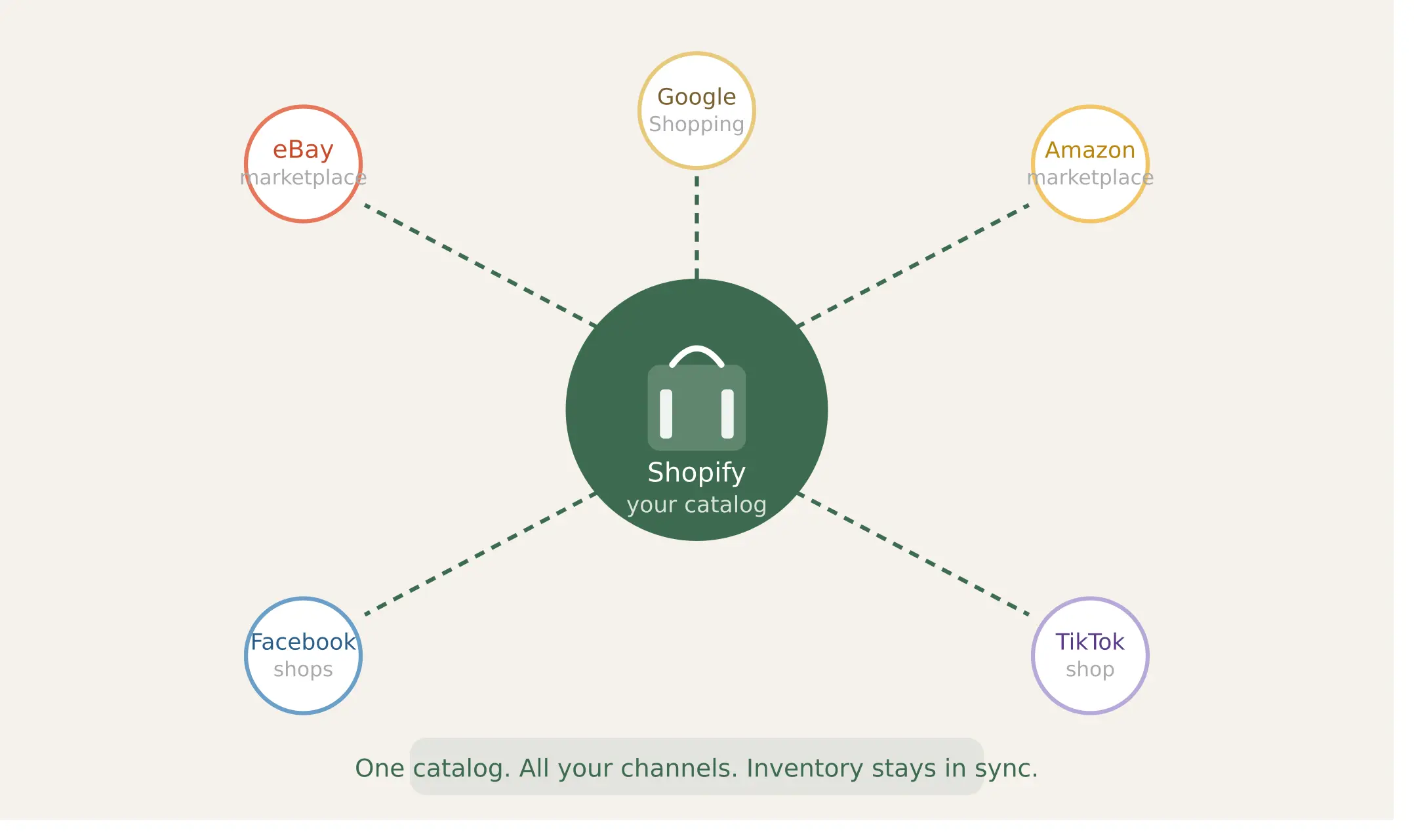
Before you think about eBay, Amazon, Facebook Marketplace, or any other channel, your Shopify store needs to be the source of truth for your inventory. Every product title, description, price, and quantity should live in Shopify first. Everything else pulls from there.
This matters because when you manage inventory in multiple places without a central system, you end up overselling, duplicating work, and losing track of what you actually have. Shopify handles this well when it is set up correctly from the start.
Build Your Product Catalog Without Losing a Week of Your Life
The most common problem resellers run into is not the selling part. Its the listing part. Getting 50, 100, or 500 products into Shopify with accurate information takes long enough that some sellers simply don't do it and miss out on sales because the product was never live.
There are a few ways to approach this depending on your workflow.
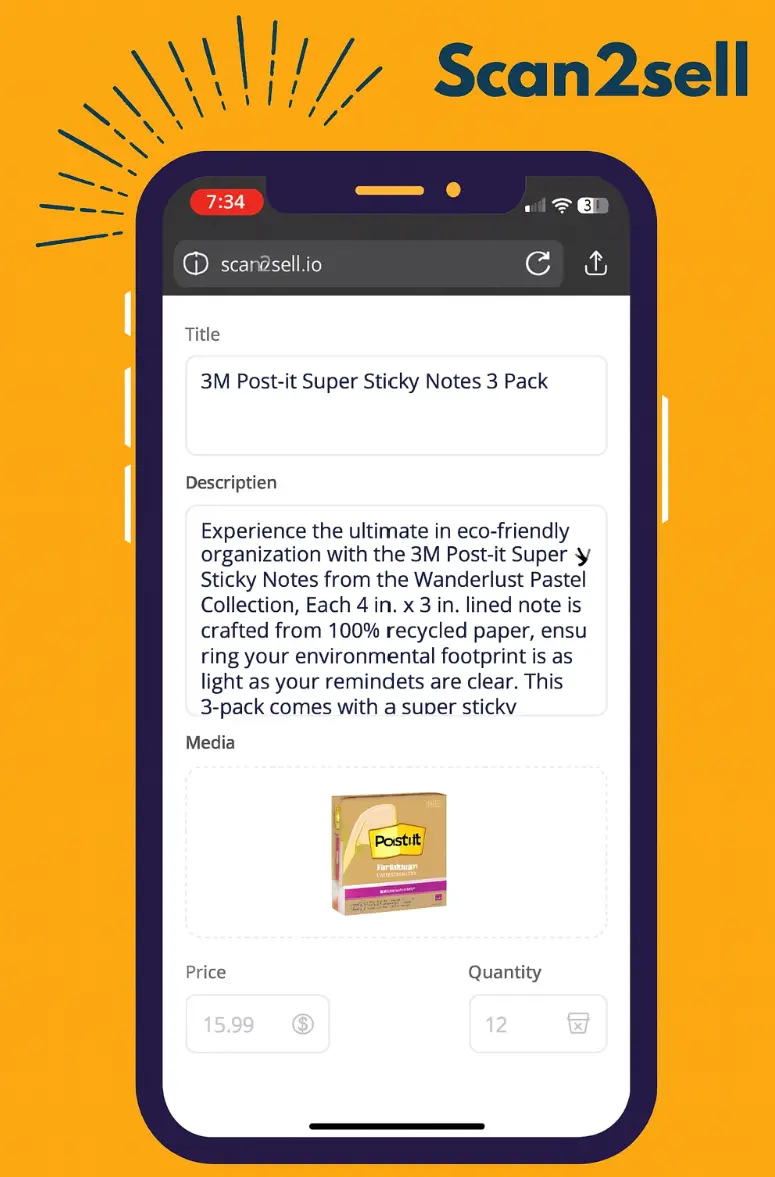
If your products have barcodes, scanning is the fastest route. Apps like Scan2Sell let you scan a barcode with your phone camera or a Bluetooth handheld scanner, and the app generates a draft product listing including a suggested title, description, and category. You review it, set your price and quantity, choose your images, and push it to Shopify. That is meaningfully faster than starting with a blank product form for every SKU you handle.
If your products do not have barcodes, which is common with liquidation pallets that include clearance or open-box items, you can take a photo of the product and use that as your input. Scan2Sell supports photo-based listing creation for exactly this scenario.
If you have a spreadsheet of product barcodes, Scan2Sell also supports CSV uploads, which means you can process a large batch of products without scanning each one individually. You upload the file, the app helps generate your listings, and you review before anything goes live.
Before you sync
Organize your listings first
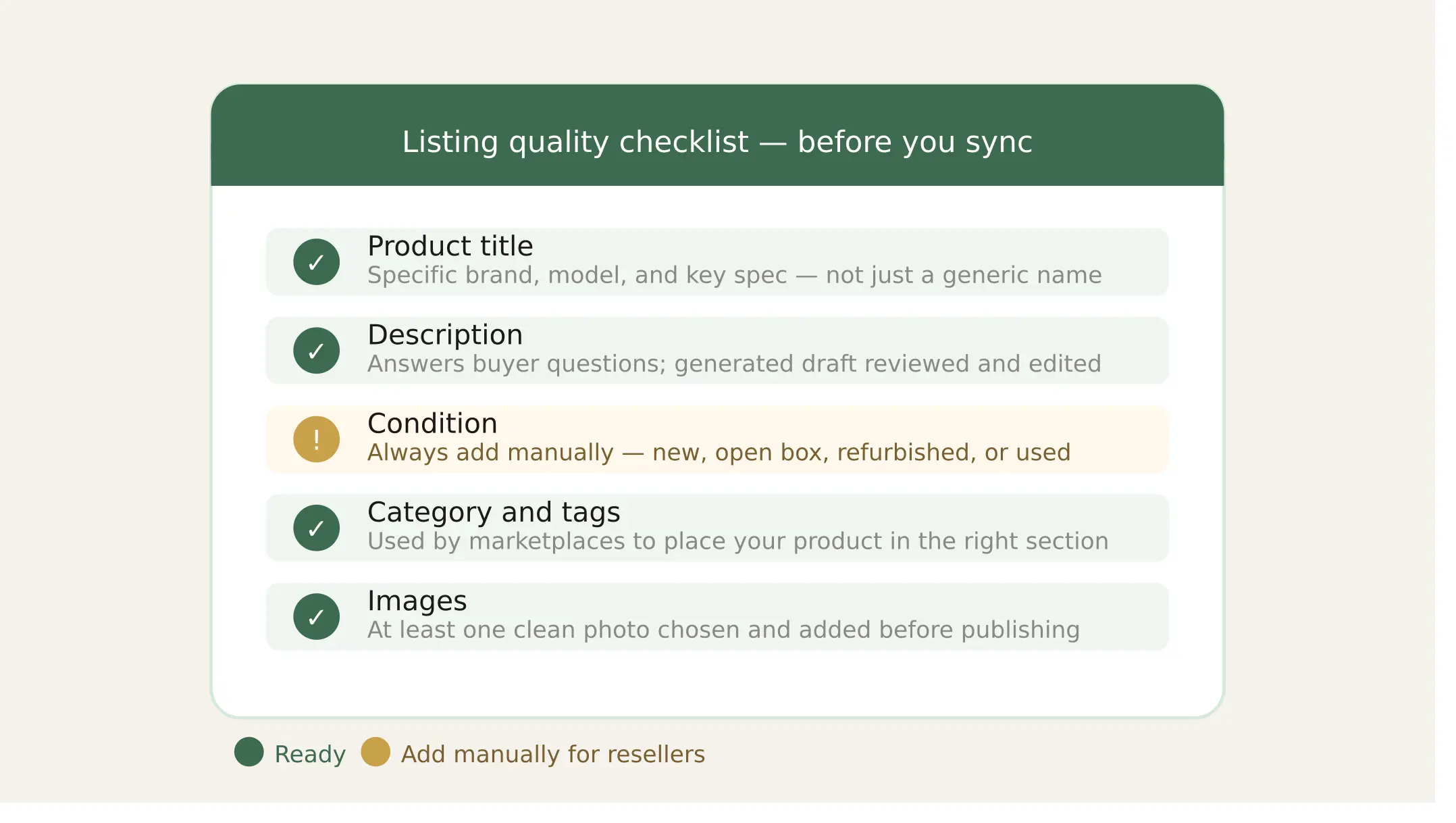
Once your products are in Shopify, take a few minutes to get them right. This isn't just housekeeping — it directly affects how your products perform across every channel you connect.
Write specific product titles
"Blue Wireless Headphones" won't cut it. "Sony WH-1000XM4 Wireless Noise Canceling Headphones" is a title that surfaces in search on every channel you connect.
Answer buyer questions upfront
Condition matters most for resellers. Is it new, open box, refurbished, or used? Scan2Sell gives you a starting point — add condition and notes before you publish.
Scan2Sell tip
Use categories and tags accurately
Connected marketplaces rely on category mapping to place your product in the right section. Thirty seconds of accurate categorization saves you hours of troubleshooting later.
Images are not optional
Every channel shows your product photo before anything else. Aim for at least one clean image per product. Scan2Sell includes image management so your photos are in before the listing goes live.
Scan2Sell tip
Connecting Shopify to Other Selling Channels
Once your product catalog is structured and accurate, syncing across channels becomes straightforward. Shopify has native integrations with several major marketplaces.
Shopify + Google and Meta are built into Shopify's sales channels panel. You can connect your store and have products appear in Google Shopping and Facebook and Instagram shops without a separate tool.
Shopify + Amazon requires the Amazon sales channel app or a third-party connector like Codisto or LitCommerce. If you are selling in categories where your products already exist on Amazon, you match your listing to the existing ASIN. If your product is not already on Amazon, you create a new listing, which is more involved.
Shopify + eBay works similarly through apps like Codisto or the eBay integration directly. For liquidators, eBay is often worth the effort because buyers there are actively searching for deals and open-box items.
Shopify + TikTok Shop has grown quickly as a channel for resellers, particularly for trending or brand-name products. The native TikTok channel in Shopify makes the connection relatively simple.
The key thing to know is that all of these sync channels pull product data from your Shopify listings. If your titles, descriptions, and images are solid in Shopify, the sync is clean. If they are messy or incomplete, every channel reflects that.
Managing Inventory Across Channels
Inventory sync is where multi-channel selling gets complicated if you are not paying attention.
When you sell one unit on eBay, Shopify should update your stock count so you are not overselling the same item on Amazon or your own site. Most channel integrations handle this automatically, but there is usually a slight delay. If you are working with very limited quantities, like a single unit per SKU, that lag matters.
A few practical rules for resellers managing multiple channels:
☑️Set a buffer stock level so a channel does not think you have more than you safely want to commit to ☑️Review sync logs regularly when you are first setting up a new channel ☑️Do not connect a channel until your Shopify product data is clean and your listings are complete
FAQs
Can I use Scan2Sell if I sell liquidation products that do not always have barcodes? Yes. Scan2Sell supports photo-based listing creation for products without barcodes. You take a photo of the product, and the app uses it to help generate a draft listing. You can then review and edit everything before it goes live in Shopify.
Do I need to list products on Shopify before syncing to other channels? Yes, and that is actually the right workflow. Shopify acts as your central catalog, and connected channels like Amazon, eBay, and Google pull from your Shopify listings. Getting your product data clean in Shopify first means every channel benefits from that work.
How many products can I realistically list in a day using a barcode scanner app? That depends on how much editing each listing needs, but scanning and generating a draft is significantly faster than entering product data manually for each SKU. Scan2Sell is designed to help reduce the time spent on repetitive data entry so you can move through inventory more efficiently.
Does Scan2Sell work with Shopify POS for in-store scanning? Yes. Scan2Sell integrates with Shopify POS, so if you are working through inventory in a physical location, you can scan products and begin creating listings without switching systems.
What happens if a product barcode does not return complete information? You can still edit and complete the listing manually. Scan2Sell generates a draft based on available data, but you always review and adjust before anything is published. The app does not push incomplete listings live without your input.