Scan2Sell is a Shopify app that turns the barcodes on your physical stock into Shopify product listings. Scan a barcode, or take a picture when there is no barcode, and a title, description, category and product images appear. You check the listing, set your price and quantity, and save it to your store.
The new Scan2Sell is built for brick-and-mortar retailers, liquidators, resellers, thrift stores and collectors. It adds tools for the jobs that take the most work in a real store: listing every size of the same item, receiving pallets, and restocking products you already sell.
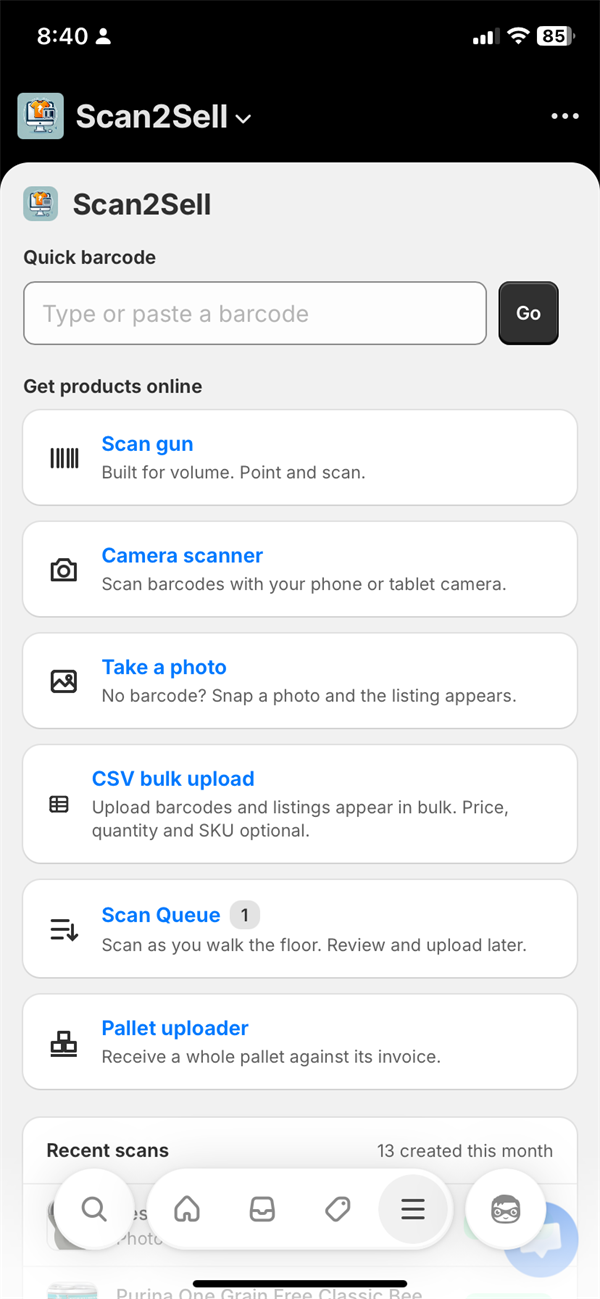
Seven ways to add products
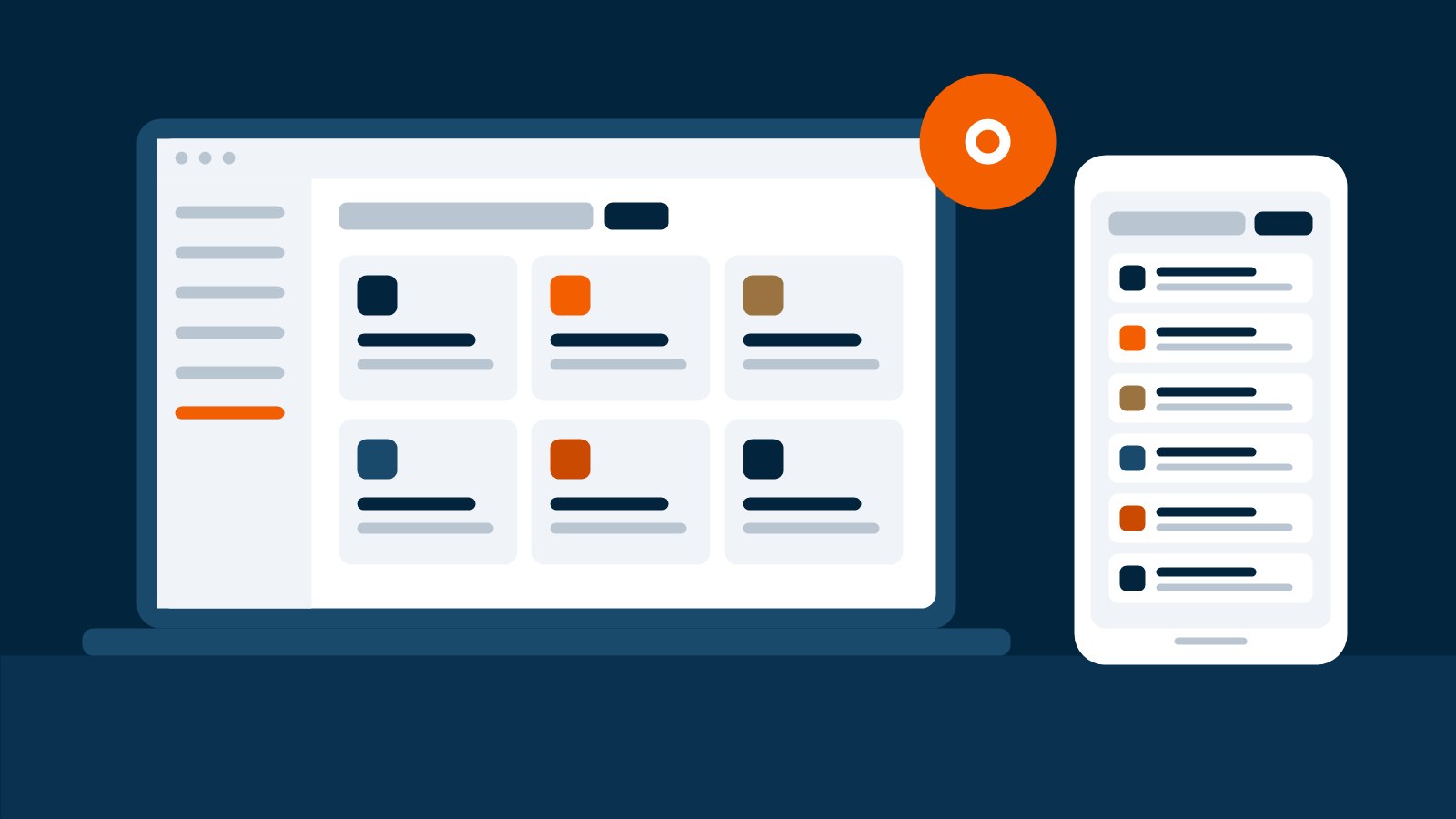
Every tool sits on one home screen, on your computer or in the Shopify mobile app.
| Tool | Best for |
|---|---|
| Quick barcode | Typing or pasting one barcode |
| Camera scanner | Scanning with a phone or tablet camera |
| Scan gun | High volume with a cordless 2D Bluetooth scanner |
| Take Picture | Items with no barcode, or a damaged one |
| CSV bulk upload | Barcodes you already have in a spreadsheet |
| Scan Queue | Scanning a whole shop floor now and reviewing later |
| Pallet uploader | Receiving a delivery against its invoice |
Add as variant: one listing for every size
Shoes, clothing and toys often have a different barcode for every size or color. Until now, that meant a separate listing for size 8, size 8.5 and size 11, and shoppers had to click through all three.
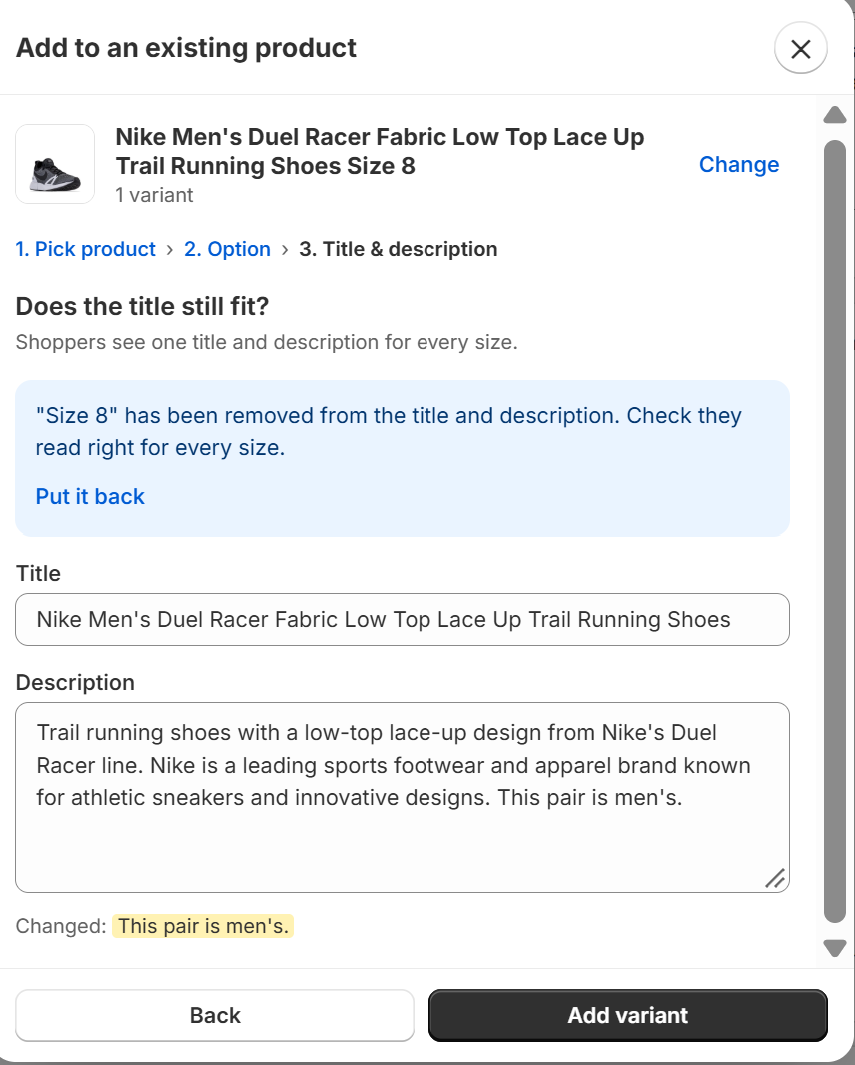
With Add as variant, the next size you scan joins the product already in your store. Each size, color, style or material becomes a variant under one listing, and each one keeps its own barcode, so Shopify POS and your stock counts stay right. The old size is removed from the title and description, so the listing reads right for every size. If you sell anything that comes in sizes, start here.
Pallet uploader: receive a delivery against its invoice
Liquidators and high-volume resellers rarely list one item at a time. The Pallet uploader handles a whole delivery. Scan every item on the pallet. New products show as Found. Products you already carry show as In store, and their stock is added instead of creating a duplicate listing. You can set a cost per item as you go.
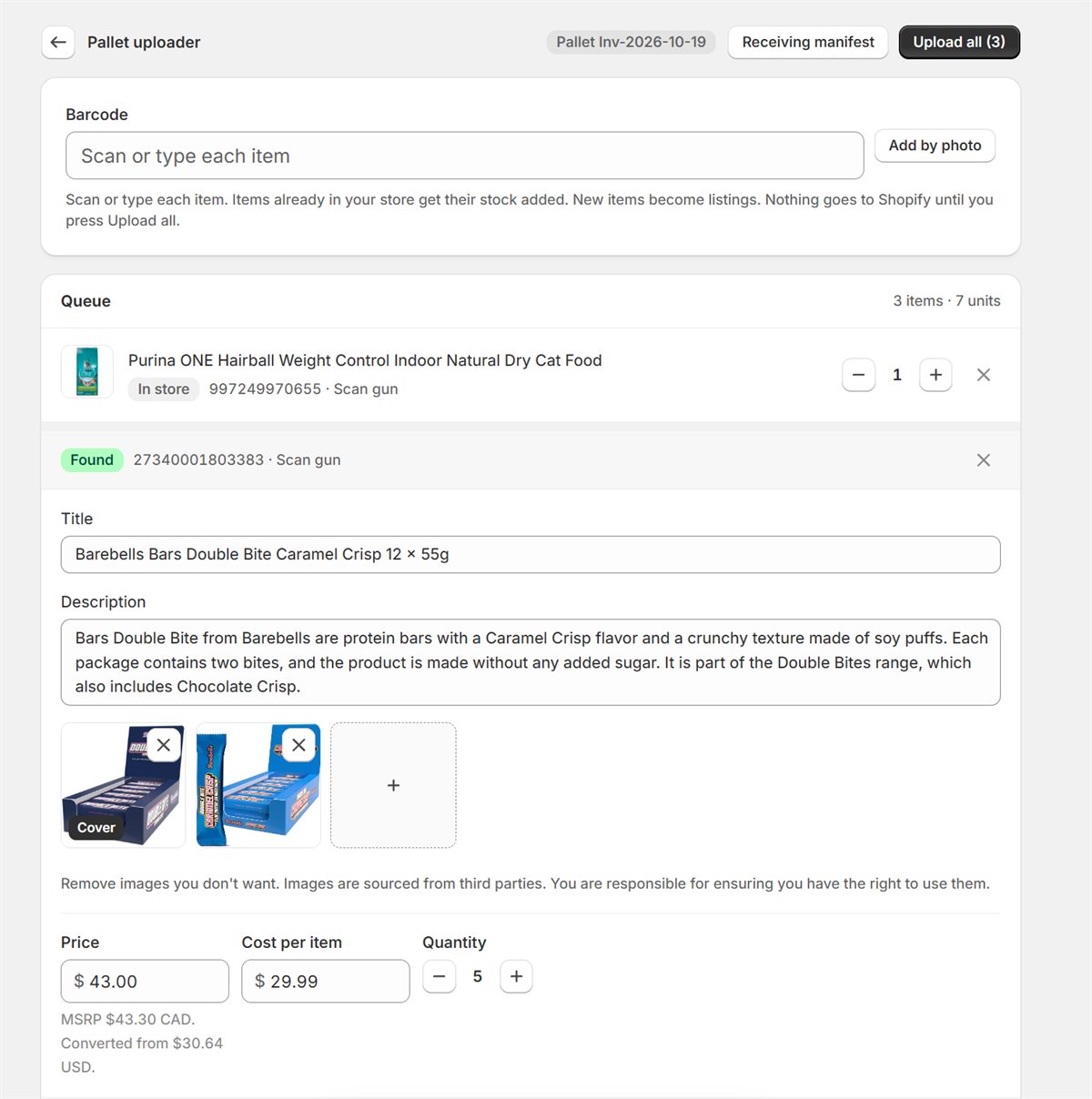
Nothing reaches Shopify until you tap Upload all. Every product from that pallet is tagged with the pallet or invoice number, and a receiving manifest lists what arrived, ready to print or save as a PDF and check against your supplier's invoice.
Already in your store: fewer duplicate listings
When you scan a barcode that is already in your store, even as a draft, Already in your store appears instead of a new listing. It shows your total stock across all locations. You can add stock on the spot, which does not use a scan, or add more photos to the listing. Restocking a shelf becomes a scan instead of a search through your Shopify products.
CSV bulk upload with the Scan2Sell CSV template
For barcodes that already live in a spreadsheet, such as a supplier sheet or an old point-of-sale export, CSV bulk upload takes a .csv or .xlsx file of up to 10,000 rows. Download the Scan2Sell CSV template from the app. Barcode is the only required column; price, quantity and SKU are optional.
A Shopify product import CSV asks you to type every title, description and image link yourself. With the Scan2Sell template, the barcode is enough and the rest appears. CSV uploads skip the review step, so include a price on every row.
Smaller updates
- Two products, one barcode. When 2 products match the same barcode, both appear with their title and brand so you can pick the right one.
- Translate. Titles and descriptions can be translated into 15 languages.
- Settings. Choose whether new products publish or save as drafts, price from the MSRP (the price the maker suggests), auto-categorize products, add custom listing instructions, and set a default weight, default tag and stock location.
Plans and pricing
| Free Trial Plan | Unlimited | |
|---|---|---|
| Price | Free for 7 days | $99 a month, billed through Shopify, cancel anytime |
| Scans | 7-day free trial | Unlimited |
| Includes | Quick barcode, Scan gun, Camera scanner, Take Picture, Add as variant, Translate, Already in your store, Settings | Everything in the Free Trial Plan, plus Scan Queue, the Scan2Sell tile in Shopify POS, the Pallet uploader with receiving manifests, and CSV bulk upload |
Already a Scan2Sell customer? Your products, scans and plan carried over, with nothing to reinstall.
Frequently asked questions
What barcodes does Scan2Sell read?
UPC, EAN and ISBN barcodes. For an item with no barcode, or one too damaged to scan, use Take Picture with up to 4 photos.
Does Scan2Sell work with Shopify POS?
Yes. The Scan2Sell tile in Shopify POS sends your scans to Scan Queue, where you review and upload each item. The tile is part of the Unlimited plan. The Shopify POS app itself is free.
What kind of scanner do I need?
None to start. A phone or tablet camera works on iOS and Android. For high volume, use a cordless 2D Bluetooth scanner. Scan Queue also works on a computer with a wired or cordless scanner.
Do new products go live on my store right away?
Only if you want them to. New products are saved as drafts until you turn on Auto-publish in Settings.