Which Shopify Barcode App Do You Actually Need?
There are more than 800 apps in the Shopify App Store that mention barcode scanning, and they solve five genuinely different problems. Here's how to tell which category actually matches what you're trying to do, including where Scan2Sell fits and where it doesn't.
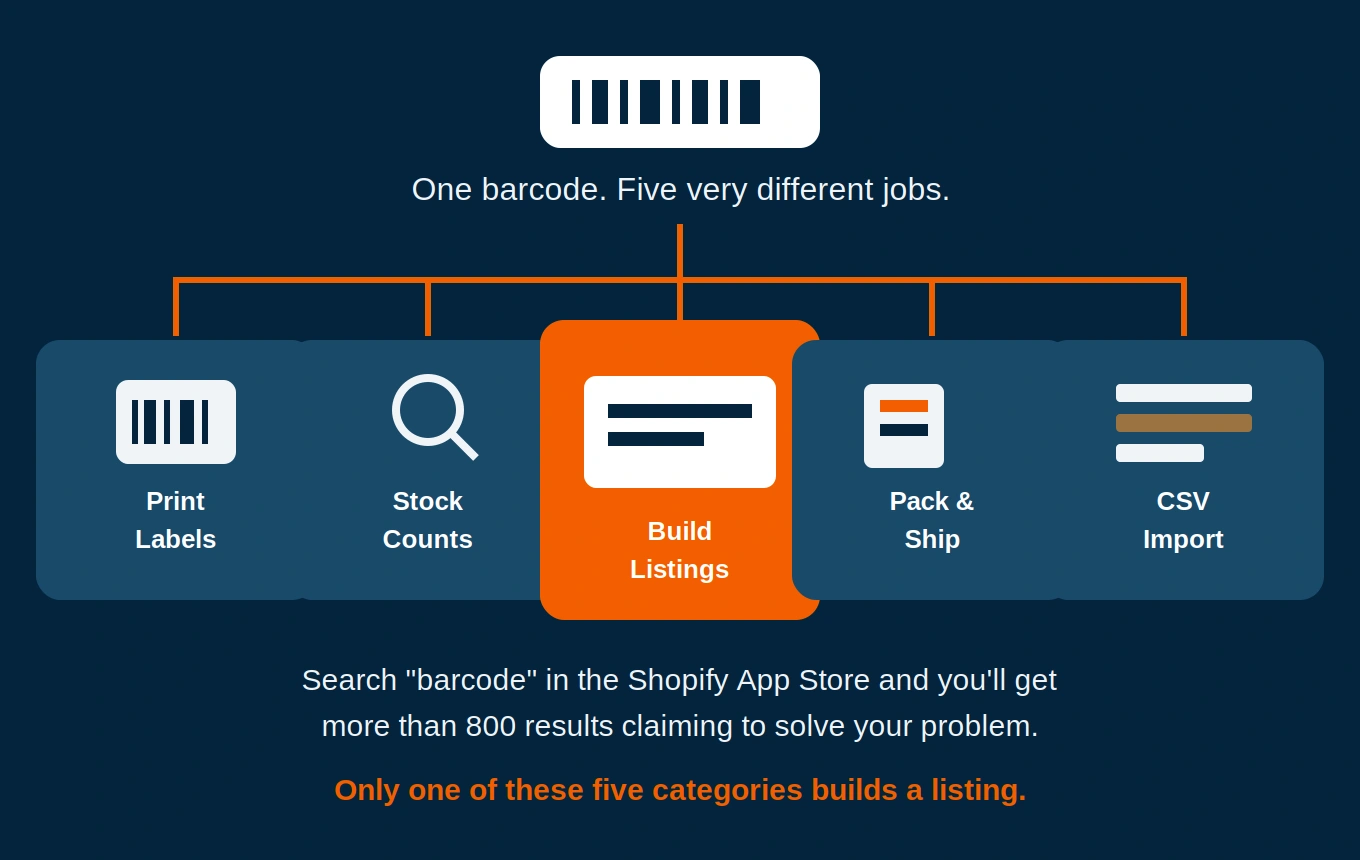
A version of the same question shows up in our support inbox every week: does Scan2Sell also print barcode labels, or check stock on products already in the catalog, or catch a packing mistake before an order ships? Fair questions. There are more than 800 apps in the Shopify App Store that mention barcode scanning somewhere in the listing, and the language on almost all of them sounds identical: scan, inventory, fast. From the outside it's genuinely hard to tell which one does what, and Scan2Sell only ever does one of those jobs.
The fastest way to sort them isn't reading more feature bullets. It's answering one question about the barcode in front of you: does that number already point to something sitting in your Shopify catalog, or is it attached to a product that's never touched your store at all? That single question splits almost every barcode app on the market into two camps, and then a bit further into five distinct jobs. Here's how those five break down, and where each one, ours included, actually fits.
Whether the product already exists in Shopify is the fastest way to rule out most of the app store search results
Category One: Apps That Print Barcodes, Not Read Them
If you make your own product, or you're reselling something that never came with a retail barcode, you don't need a scanning app yet. You need a generator. Shopify's own free Retail Barcode Labels app will assign an 8-digit Code-128 barcode to a product and print a label for it, which is fine for scanning at your own register but won't work for Google Shopping or Amazon, since those digits aren't a real, purchased GS1 number. If you need more control over label size, custom templates for Dymo or Zebra printers, or the ability to import barcodes you've already bought from GS1, apps like Kodbar or BarcodeMan handle that with more flexibility than the built-in tool.
Category Two: Stock Counts and In-Store Lookups
This is where people land by accident when they actually wanted something else. These apps are built for products already sitting in your Shopify admin. Scan the barcode and the app pulls up that product's price, quantity, and variant details, so you can run a stock count or check a price on the sales floor without opening a laptop. Proscanify and StockSavvy both live here, and syncX adds the ability to adjust inventory up or down and build draft orders straight from a scan. None of them create a listing. Scan a barcode that's never touched your store and these apps just tell you it wasn't found.
Category Three: Scanning to Pack and Ship, Not to List
A completely different problem: making sure the right item lands in the right box before it leaves the building. Scanrabbit, Scanpacker, and Scan Picker all check a scanned barcode against an order to catch a packing mistake before it turns into a return. Worth having if you ship more than a handful of orders a day. Still nothing to do with getting a new product listed.
If the barcode you're scanning has never touched your Shopify admin, an inventory or fulfillment app will tell you it wasn't found. That's not a bug, it just means you're in the wrong category.
Category Four: Moving a Spreadsheet Into Shopify
If your product data already exists somewhere, a supplier's spreadsheet, an export from an old platform, a distributor's price list, the job in front of you is import, not scanning. Shopify's native product CSV importer handles the basics for free. Once a catalog gets bigger or messier than that, most merchants I've seen eventually land on Matrixify, since it lets you update only the columns you choose instead of overwriting the whole catalog on every import.
The Five Categories at a Glance
Category 1: Label & Barcode Generators
For products with no barcode at all. Assigns and prints a scannable code. See Retail Barcode Labels or BarcodeMan.
Category 2: Stock Counts & Lookups
For products already in your catalog. Checks price and quantity fast. See Proscanify or StockSavvy.
Category 3: Pack & Ship Verification
Confirms the right item goes in the right order before it ships. See Scanrabbit or Scan Picker.
Category 4: Bulk CSV Import & Export
For data that already exists in a spreadsheet. Shopify's native importer or Matrixify for larger catalogs.
Category 5: Barcode-to-Listing Creation
For inventory with no digital listing anywhere yet: pallets, closeout lots, thrift finds. Scan or photograph the product and a title, description, and images come back for review. This is where Scan2Sell fits.
Category Five: Turning a Barcode Into a Listing That Didn't Exist
This is the category most "best barcode apps" roundups skip entirely, and it's the actual gap for anyone buying inventory that isn't listed anywhere yet, closeout pallets, thrift finds, wholesale cases, liquidation lots. Scan2Sell sits here. Scan a barcode, or take a photo if the product doesn't have one, and a structured title, description, and set of images appear for you to review before anything publishes. Nobody's typing out a full product name and spec sheet by hand.
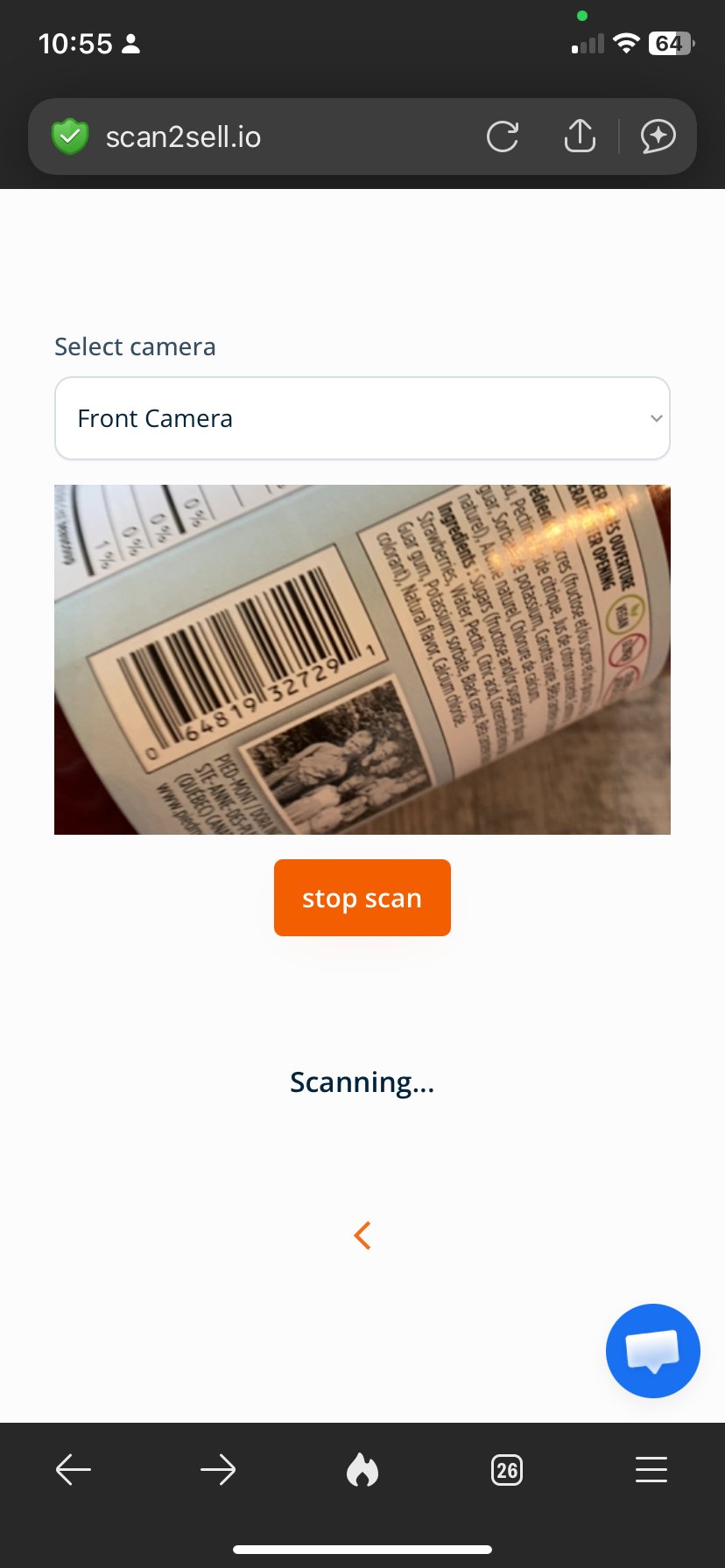
Scan2Sell reading a barcode live through the phone camera, no separate hardware required to start
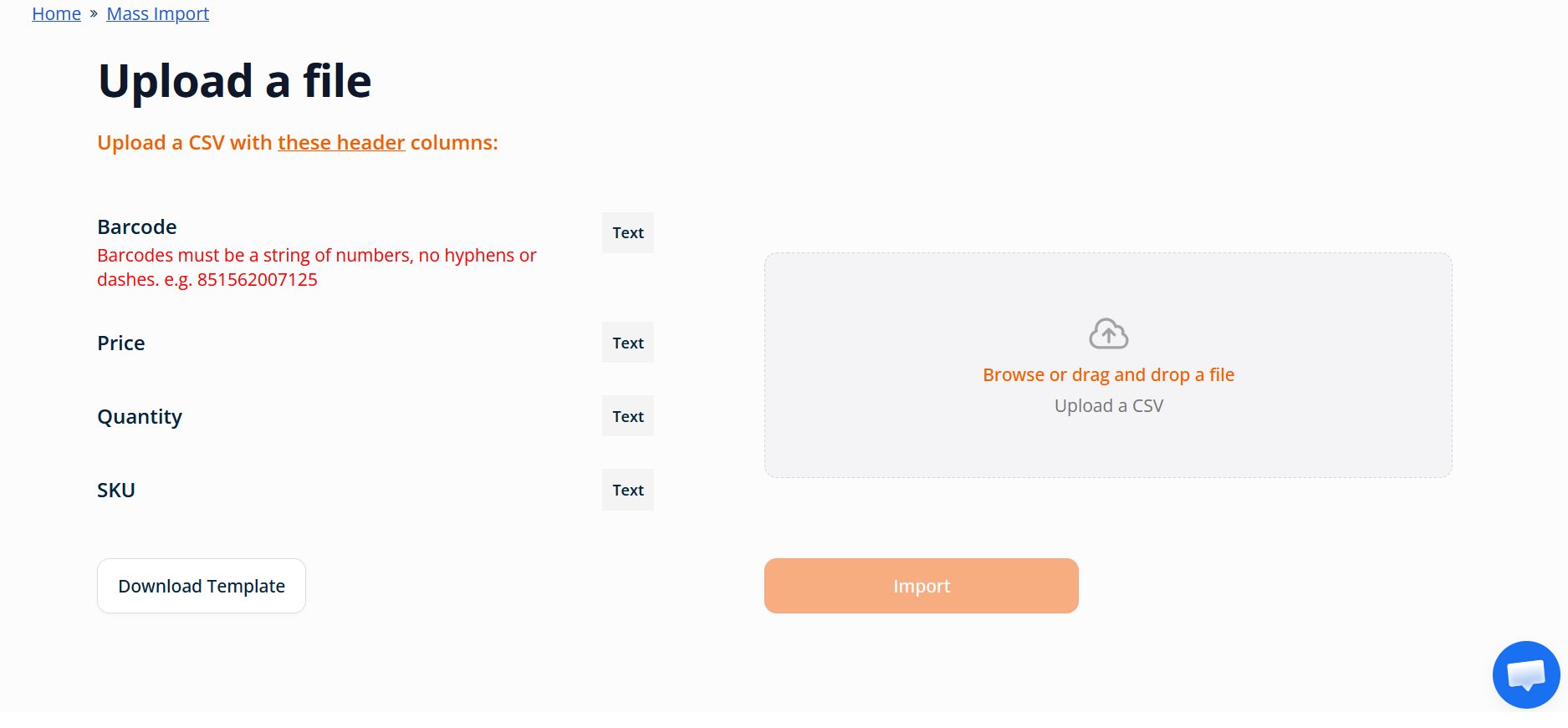
Scan2Sell's bulk import screen for uploading a batch of barcodes at once instead of scanning one at a time
Scan2Sell also covers the CSV route for merchants who'd rather batch a hundred barcodes at once instead of scanning one by one, and it works through Shopify POS if you're scanning items right off the shelf in a physical store. Same output either way: a draft listing waiting for your review, never something that publishes itself before you've seen it.
Before You Install a Fourth App
One thing worth flagging, since we hear about it from new users who tried two or three apps before landing on Scan2Sell: most of these apps ask for overlapping permissions on product data, inventory, sometimes order history, and a lot of them start a metered free trial the day you install rather than the day you actually get around to testing it. If you're still not sure which category fits, don't install three at once to compare. Pick the one category that matches your actual problem, try the free tier of one app in it, and go from there.
Common Questions
What's the difference between a barcode scanner app and a product import app?
A scanner app reads a barcode in real time through a phone camera or handheld scanner and does something immediately, like checking stock or building a listing. An import app takes a file, usually a CSV, that already contains your product data and loads it into Shopify in bulk. Some apps, including Scan2Sell, support both.
Do I need a Shopify CSV template to bulk import products?
Yes, most import tools want your data in specific columns, at minimum a barcode, price, and quantity, sometimes SKU. Shopify's own importer has its own template, and Scan2Sell has a separate one built around barcode-first uploads. Using the wrong template usually means a failed or partial import.
Can one app cover more than one of these categories?
A few try, but most do one thing well. Scan2Sell focuses on category five, turning a barcode or photo into a new listing, and covers the CSV route and Shopify POS scanning as additional ways to get to the same result, rather than trying to also handle stock counts or shipping verification.
Why does a stock-count app say my barcode wasn't found?
Because that category of app is designed to look up products that already exist in your Shopify catalog. If the barcode belongs to something that has never been added as a product, an inventory or fulfillment app has nothing to match it against. That's the signal you're actually in category five, not two or three.
What does Scan2Sell cost?
$99 per month for unlimited scans, covering barcode scanning, photo scanning for products without a barcode, CSV batch uploads, and Shopify POS scanning.
Have Inventory With No Listing Yet?
That's category five, and it's the one Scan2Sell is built for. Scan a barcode or snap a photo, review what comes back, and publish when it's ready.
Get Scan2Sell on the Shopify App Store