
How to Set Product Weight on Shopify Listings (Without Doing It Manually)
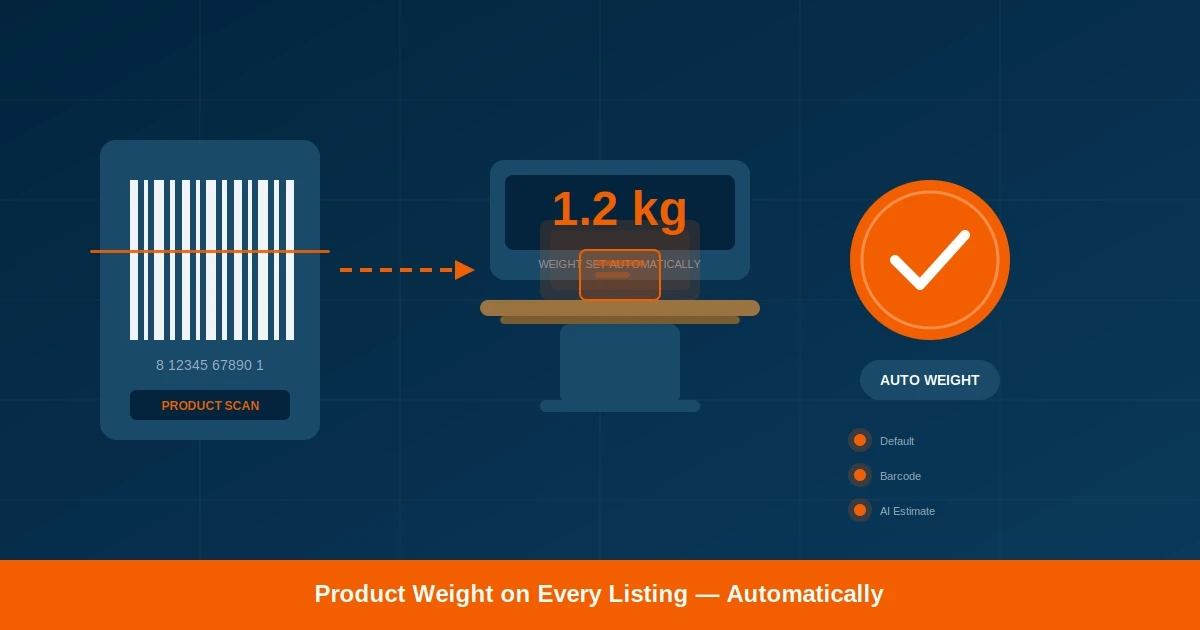
Scan2Sell now includes product weight on every listing automatically. Set a default, use the barcode weight, or let AI estimate one for you.
The problem with missing product weight
If you have ever uploaded a batch of products to Shopify and then realized none of them had a weight, you already know what happens next. Your shipping rates come back wrong. Your customers see unexpected costs at checkout. And if you are syncing products to other platforms like WhatNot or eBay, those platforms need weight data too. Without it, calculated shipping breaks entirely.
One merchant spent an entire afternoon once going back through 200 listings in Matrixify just to add weights. Every single one needed to be looked up, typed in, and saved individually. That is time nobody has, especially when you are trying to run a store at the same time.
This was one of the most common requests from Scan2Sell selling large volumes. Merchants in countries where shipping is charged by weight bracket told us they were spending just as long fixing weights after upload as they spent creating the listings in the first place. That needed to change.
How Scan2Sell handles weight now
Every product listing created through Scan2Sell now includes a weight value. You do not need to type it in or add it later. The weight appears as part of the listing, alongside the title, description, and product images that are already generated when you scan.
There are three layers to how this works, and the system moves through them in order:
The first option is the simplest. If you charge a flat shipping rate and every product weighs roughly the same to you, just set a default weight in your Scan2Sell Settings. That weight is applied to every product you create. One setting, done.
If you do not set a default, the system looks at the barcode data. Many barcoded products already have weight information embedded in their product data, and that real weight appears on the listing automatically.
And for products where there is no default set and no barcode weight available, Scan2Sell provides an AI estimate based on what the product is. That estimate is based on the product category and type, so a bottle of shampoo gets a different weight than a pack of stickers.
Setting your default weight
Open Scan2Sell and go to Settings. You will see a field labeled Default Weight. Enter the number, choose your unit (grams, kilograms, pounds, or ounces), and tap Save Settings. From that point on, every product you scan or upload through Scan2Sell uses that weight unless you manually change it on a specific listing.
This is especially useful for merchants who ship with flat rate packaging. If your shipping provider charges the same rate for anything under 500g, you can set 500g as your default and stop thinking about weight entirely.
If you leave the Default Weight field blank, Scan2Sell automatically uses the barcode weight or generates an AI estimate. You always get a weight on every product, with zero extra steps.
Why this matters for multi-channel sellers
A lot of Scan2Sell users do not just sell on Shopify. They push their product catalog to WhatNot, eBay, and other marketplaces using tools like Matrixify or Shopify's own channel integrations. Every one of those platforms expects a weight value on the product. When the weight field is empty, either the sync breaks or the listing goes live with no shipping calculation.
Before this update, merchants were exporting their products, opening a spreadsheet, adding weights by hand, and re-importing. That is exactly the kind of repetitive work Scan2Sell exists to replace. Now the weight is already there when the product is created, so when you sync to another channel, the data is complete from the start.
Set one default weight for everything
If your shipping provider charges by weight bracket, set a single default weight in Settings and never think about it again. Every product gets the same weight, keeping your rates consistent across your entire catalog.
Real weight from the barcode data
Products with barcodes often include weight information in their product data. When you scan, that actual weight appears on the listing without any manual input. No spreadsheet. No lookup.
AI-generated weight estimate
For products without a barcode or without weight data available, Scan2Sell generates a sensible weight estimate based on the product type. You can always adjust it before publishing.
Complete data for every platform
Weight is included from the moment the listing is created. When you push products to WhatNot, eBay, or any other marketplace, the weight field is already filled in and ready for calculated shipping.
What you still control
Nothing about this feature publishes without your review. The weight appears on the listing alongside everything else, and you can edit it before you tap Create. If the AI estimate looks off, change it. If you want a specific product to override your default, just type in a different number. This is about giving you a starting point that is already close to right, not locking you into something you cannot change.
The same goes for everything else in Scan2Sell. Product titles, descriptions, images, and now weight are all generated to save you time, but you approve every listing before it goes live on your Shopify store.
Frequently Asked Questions
Can I turn off the automatic weight feature?
Yes. If you leave the Default Weight field blank in Settings, Scan2Sell will use the barcode weight or an AI estimate. If you want no weight at all, you can remove it from individual listings before publishing. But in most cases, having a weight value is better for shipping accuracy, especially if you sell on multiple channels.
What units does the default weight support?
You can set your default weight in grams, kilograms, pounds, or ounces. The unit you choose in Settings is applied to every product going forward. You can change it at any time.
Does this work with the CSV bulk upload?
Yes. Products imported through the Scan2Sell CSV template also receive weight values using the same three-layer system. If you set a default weight, it applies to every product in the CSV batch. If not, barcode weight and AI estimates fill in the gaps.
Will this weight sync to WhatNot or eBay?
The weight is saved to the Shopify product listing. Any tool or integration you use to sync Shopify products to other platforms (like Matrixify, CedCommerce, or Shopify Marketplace Connect) will include the weight field because it is part of the standard product data in Shopify.
How accurate is the AI weight estimate?
The AI estimate is based on the product category and type. It is designed to give you a reasonable starting point, not a precision measurement. For products where exact weight matters (like shipping fragile or heavy items), you should verify and adjust the estimate before publishing.
From shelf to Shopify, with weight included
Scan your products. Build your listings. Weight appears automatically.
Try Scan2Sell on the Shopify App Store