If you've been putting this off because you think it means typing every title, description and price by hand for every item in your store, here's what the process actually looks like now.
The belief that's stopping you
Every merchant I've walked through this with believes the same thing before they start. They think going online means sitting down at a laptop and typing a title, a description, adding an image, setting a category and a price for every single item in the store, one at a time, for however many hundred SKUs they're carrying. That belief is exactly why so many owners with a full backroom of stock keep pushing "get online" to next quarter, then the quarter after that.
Maybe you're finally turning the side hustle you've been running out of a spare room into something real, and building a full online store on top of your day job feels like taking on a second one. Maybe you've had the physical shop running for years and you're just trying to claw back a few evenings for your own family, not rebuild your whole operation. Maybe you're watching Amazon and Temu eat into your foot traffic and you know staying in business now means having a real online presence, not because you want to compete on price, but because that's the first place people look. Or maybe you're getting the business ready to sell, and a buyer wants a proper digitized inventory before they'll talk numbers.
Whatever brought you here, the picture in your head is usually the same one: weeks of manual data entry before anything goes live. I've sat with enough owners to know that's not a lack of ambition, it's just math. If one listing takes 15 minutes and you're carrying 400 SKUs, of course you keep finding a reason to wait. That is not what 2026 actually requires, and it wasn't even fully true five years ago. The manual path exists and plenty of people still use it. It's just no longer the only path, and for most of the situations above, it's rarely the fastest one.
What a Shopify listing actually needs
Strip away the marketing language and a Shopify product listing needs six things before it can publish: a title, a description, at least one image, a category, a price, and a quantity. That's the whole requirement. People assume there's more to it, some hidden SEO checklist or a certification step, but the core fields are short.
The part that eats a weekend isn't the number of fields. It's typing the same six fields for the 40th product, then the 140th, then realizing you're only a third of the way through the stockroom and it's already dark outside.
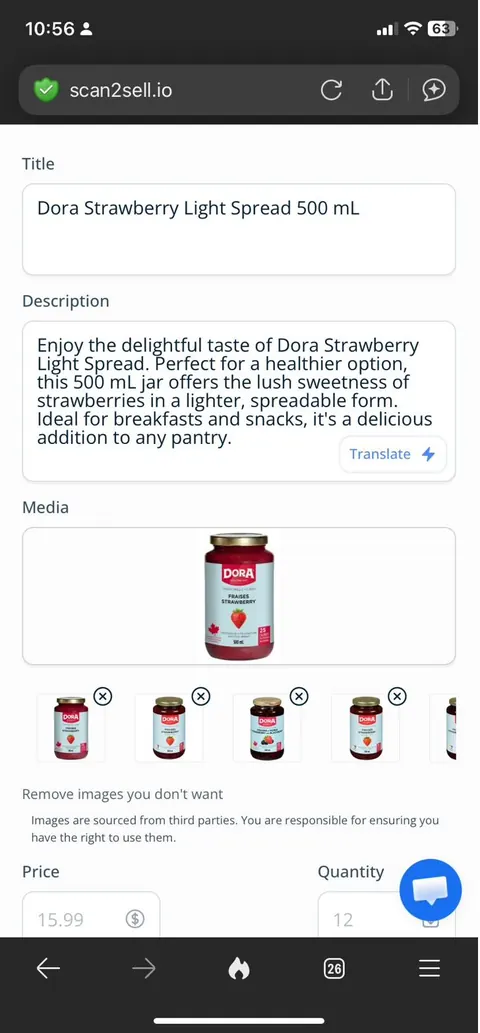
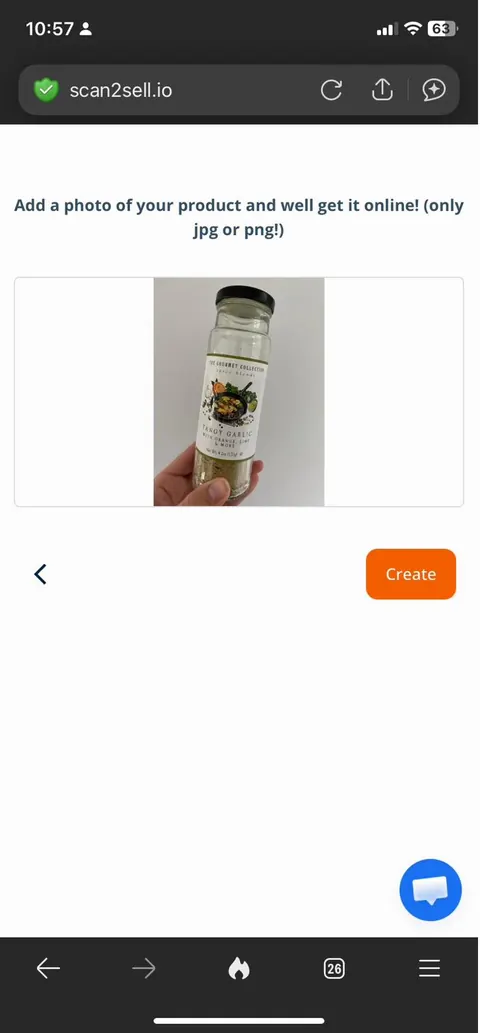
A draft listing straight after a scan. Title, description and image already filled in, price and quantity still waiting on you.
The 15 minutes nobody adds up
Ask most owners how long one manual listing takes and they'll guess low. In practice it runs closer to 15 minutes once you count everything: finding a usable product photo, writing a title that isn't just the manufacturer's name copied off the box, writing two or three sentences of description, picking a category, setting a price, and checking the quantity field before you save. Fifteen minutes doesn't sound like much on its own. It adds up fast once there's a shelf behind it instead of just one item.
25 hrs100 products at 15 min each
75 hrs300 products, a small shop's catalog
150 hrs600 products, closer to two work months
Seventy five hours is almost two full work weeks spent on nothing but re-typing the same six fields, for a catalog size that isn't unusual for a shop carrying a handful of brands.
Then the season changes and you do it again
This is the part that gets left out of most "how to add products to Shopify" guides. Getting a store online isn't a single project you finish once and move past. New stock keeps arriving, a spring line, back-to-school inventory, the holiday order, a new vendor's catalog landing in January, and each one brings another batch of products that need the same title, description, price and quantity treatment as the last batch did.
For a store restocking four times a year, that 75 hours from a 300-product catalog isn't a one-time cost, it's closer to 75 hours every season, every year, for as long as the doors stay open. That's the math that changes people's minds faster than the sales pitch does.
Where most people get stuck: the CSV
If you search "Shopify import products," you'll land on Shopify's own bulk import tool, which reads a CSV file. A CSV is really just a spreadsheet saved in a plain text format, and Shopify has a specific CSV template with exact column headers it expects, things like Handle, Title, Body (HTML), Vendor, and Variant Price. Get a header wrong or leave a required column blank and the whole import file can fail, which is the moment most first-time merchants give up and decide they need to hire someone.
That's also where "product data entry services shopify" style searches come from. Merchants who hit a failed CSV import once usually go looking for a person to hand the whole job to, whether that's a freelance data entry service or a virtual assistant charging by the hour, which brings its own cost every time new inventory shows up.
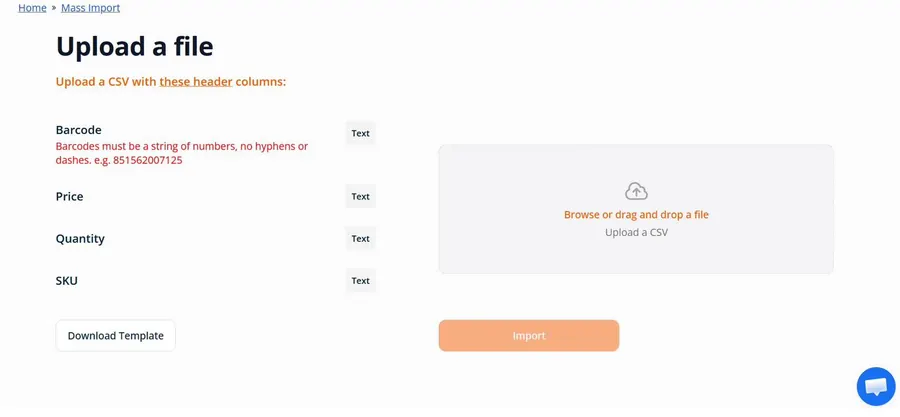
Scan2Sell's own CSV upload screen. Four columns instead of Shopify's full template: barcode, price, quantity, SKU.
A failed CSV import is usually a formatting problem, not a proof that the whole idea won't work for your store.
The barcode on the box is already doing half the work
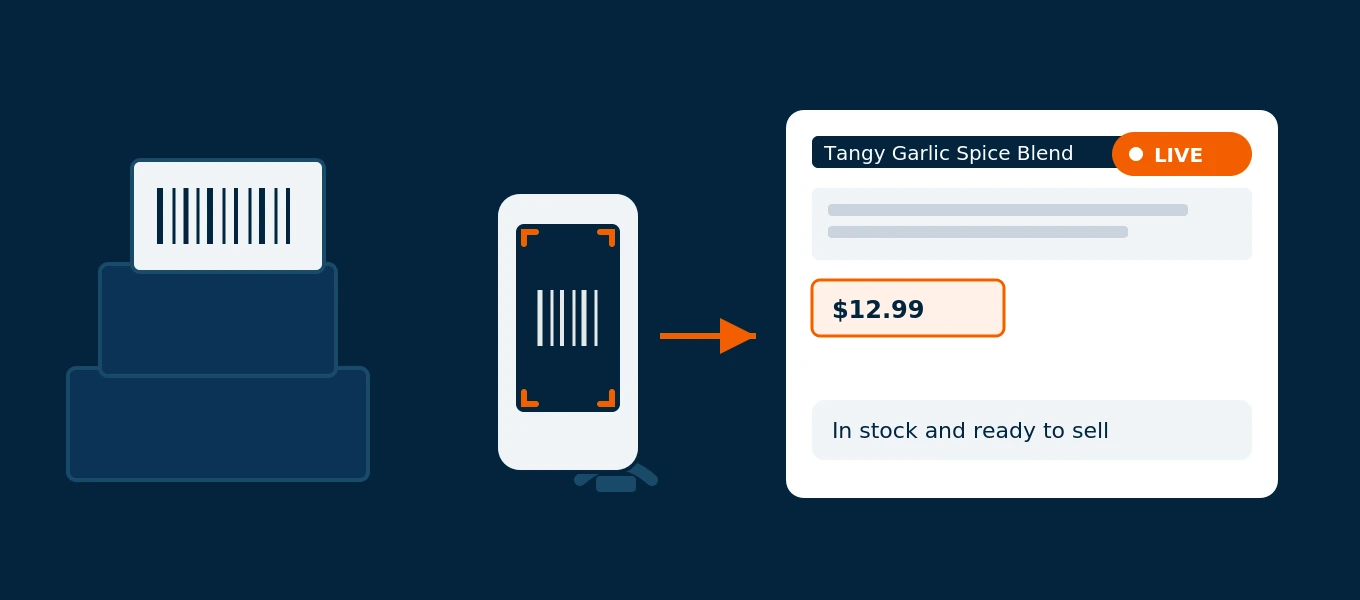
Here's the part most first-time sellers don't know exists yet. Every product that already carries a manufacturer barcode is holding a set of standardized data behind that code, tied to the UPC or EAN itself. When that barcode gets scanned, a structured listing draft, title, description, category, suggested dimensions, and related images, appears on the spot, ready to be checked over before it goes anywhere near your storefront.
No barcode on the item, like a lot of handmade goods, vintage finds, or repackaged bulk product? A photo from your phone works as the input instead, and the same kind of draft listing appears from there. Either way, nobody is typing a product description from a blank page, and that 15-minute average drops down to something closer to checking a form instead of filling one out.
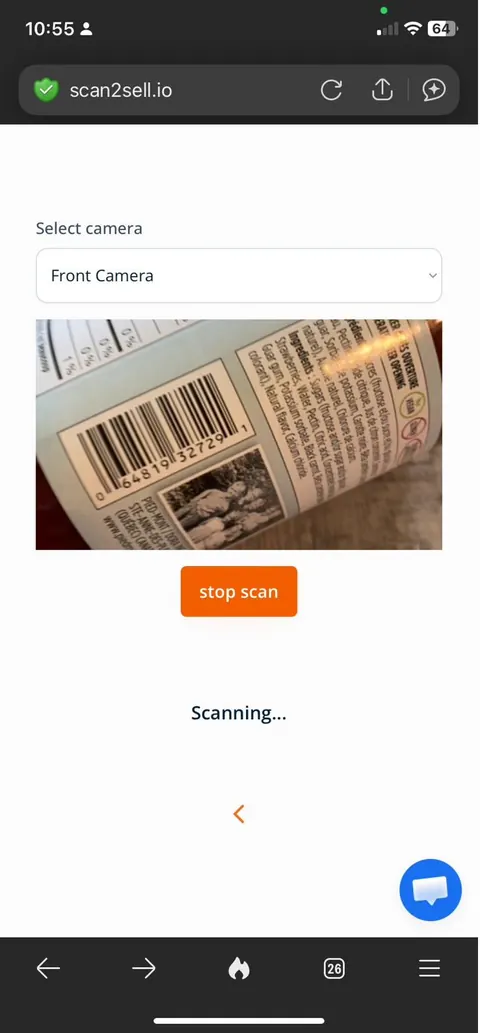
The camera picking up a barcode mid-scan. This is the input, not the finished listing.
You still get the final say on every listing
Nothing here publishes itself to your storefront. Every field, title, description, price, image, quantity, stays open for editing before you hit create, and new products can sit as drafts until you're ready to make them live. If the AI-written description runs long or misses a detail about your specific product, you fix it right there before it goes anywhere.
Four ways this actually gets done
None of these require hiring anyone, and you can mix them depending on what's in front of you that day.
The starting screen. Five ways in, pick whichever fits what's in front of you.
Scan with your phone camera
Point your phone at the barcode and a structured draft listing appears, ready for you to check the price and quantity before creating it.
Use a Bluetooth handheld scanner
Pair a scanner gun like a Socket S700 for faster back-to-back scanning when you're working through a full shelf or a pallet of stock.
Take a photo instead
Handmade goods, vintage items or anything without a barcode still gets a draft listing built from a single photo taken on your phone.
Upload a CSV of barcodes
Download the app's CSV template, drop in your barcode, price, quantity and SKU columns, and upload it back in for a batch of listings at once.
What this costs you either way
Doing this manually costs something too, it just shows up as your own hours instead of a line item. A product data entry service or a virtual assistant typically charges per listing or per hour, and that adds up fast once you're past a few hundred SKUs, and adds up again every time you restock. A flat $99 a month for unlimited scans tends to look different once you've priced out what a few weeks of a freelancer's time would run each season, rather than just once.
For stores working through a full shelf at once, there's also a scan queue option. Every item gets scanned into a holding list first, so you can approve or edit a whole batch together instead of confirming one product, then the next, then the next, which matters more the second and third time a season's inventory lands than it does the first.
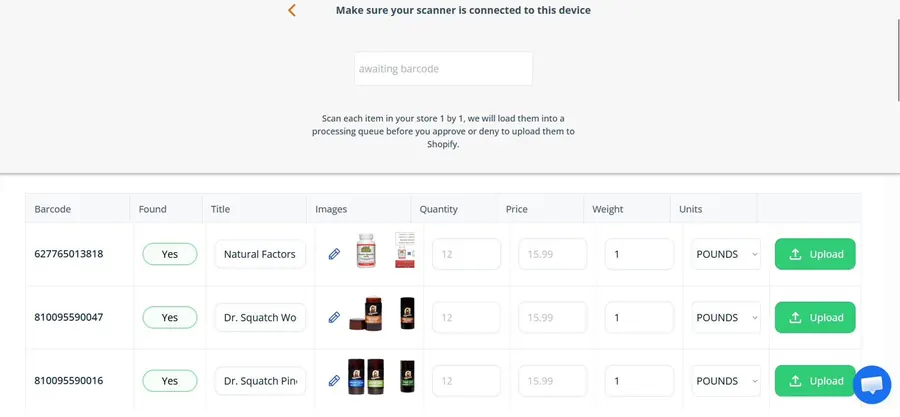
Scan Queue: scan a shelf's worth of items first, review and edit the whole batch, then upload together.
Common questions about getting products online in 2026
Do I need a barcode on every product to sell it online?
No. Products with a manufacturer barcode can be scanned directly, but anything without one, like handmade or repackaged items, can use a photo instead to start a draft listing.
What is a Shopify CSV template and do I have to build one myself?
It's a spreadsheet file with specific column headers Shopify's bulk importer expects. You don't have to build it from scratch, Shopify provides a sample template, and Scan2Sell's CSV upload uses a simpler version with just barcode, price, quantity and SKU columns.
Will my listings publish automatically once I scan a product?
No. Every listing stays as a draft you review, edit if needed, and approve before it goes live on your store.
Do I have to redo all of this manual work every time I restock?
If you're entering listings by hand or paying per listing, yes, that cost repeats with every seasonal drop or new vendor order. With unlimited scans included at one flat monthly rate, a restock doesn't cost more than a slow month does.
How much does this cost compared to hiring a data entry service?
Data entry services and virtual assistants typically bill per listing or by the hour, which scales with your catalog size and repeats with every restock. Scan2Sell is a flat $99 a month for unlimited scans, regardless of how many products you add or how often new stock arrives.
Start with the products already on your shelf
Scan a barcode or snap a photo and see the draft listing before you decide on anything.
Get Scan2Sell on the Shopify App Store